Rocketlane · 2021–2022
Resource Management
Helping service teams see who is free, plan ahead and staff projects with the right people.
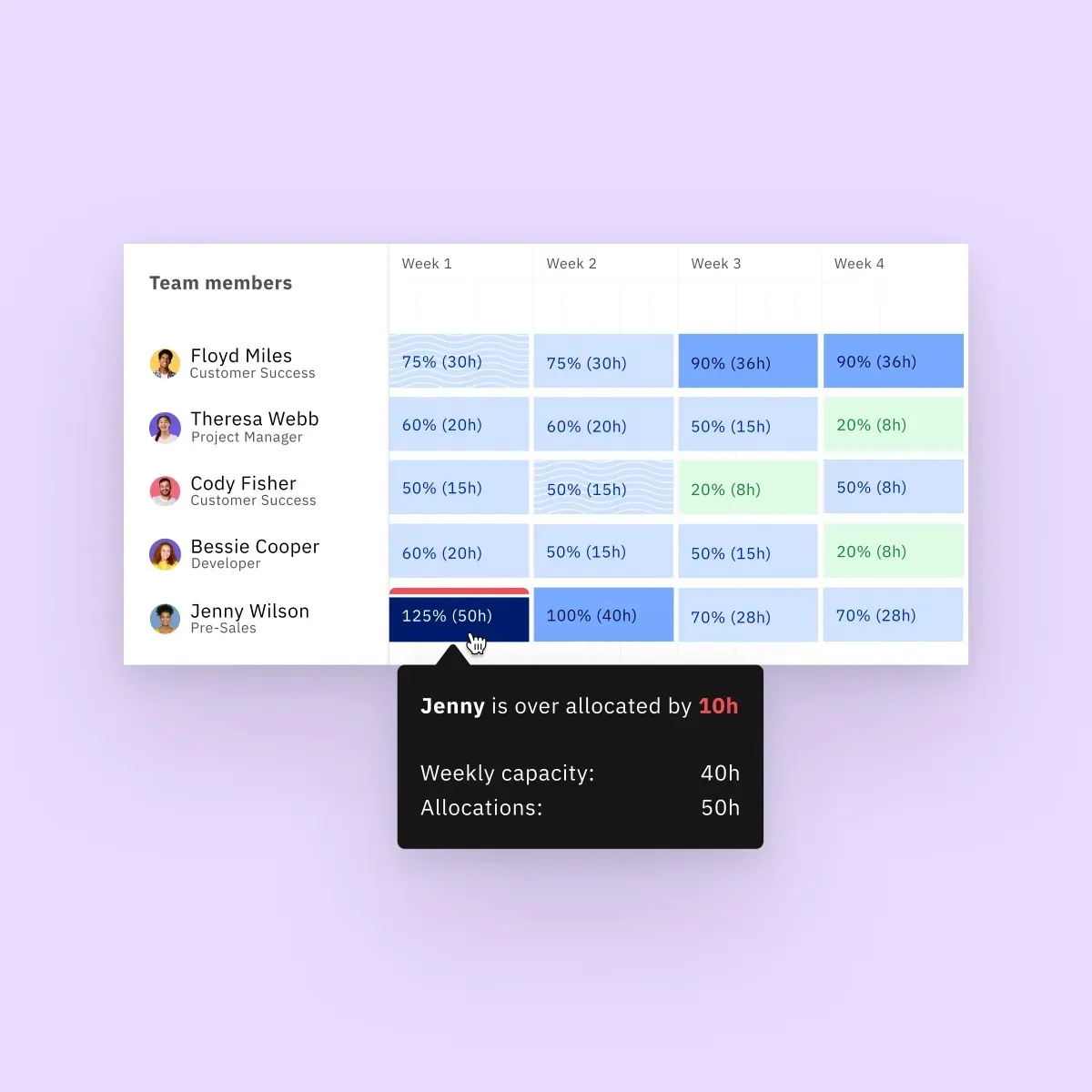
red = someone is overloaded
The short version
About 2 minutes
- Situation
- Rocketlane's customers run many client projects in parallel. Their project owners constantly need to know which people are available, who can help on a given date, and whether the team is stretched.
- Problem
- There was no reliable way to see a team's bandwidth or predict future staffing needs. Managers couldn't tell who was overworked or underused, or whether they needed to hire.
- Why it mattered
- Staffing decides whether projects finish on time and at a profit. One customer put it plainly, "I don't want to hire 40 percent more people to keep up."
- What made it hard
- Several projects run at once, each with its own timeline and people.
- Capacity differs per person, set by an admin and often 8 hours a day.
- Managers often know the role and skills they need before they know the person.
- Future demand sits in a pipeline of projects that haven't started yet.
- The same allocation work repeats at the start of every project.
- My role
I led the design, from customer conversations through wireframes and prototypes to final UI, working with a product manager and four engineers.
With Arushi Ladha (Director of Product), Deepakkumar M (Frontend Engineer), Mohamed Imthihas (Frontend Engineer), Karthick Ramjee (Backend Engineer), Devanshu Verma (Backend Engineer)
- Key decisions
- A People view that shows each person's load week by week, colour-coded so overallocation stands out at a glance.
- A Projects view with "Find team members", which matches open roles to people by skills and availability.
- Capacity planning that sets demand from the project pipeline against the capacity the team actually has.
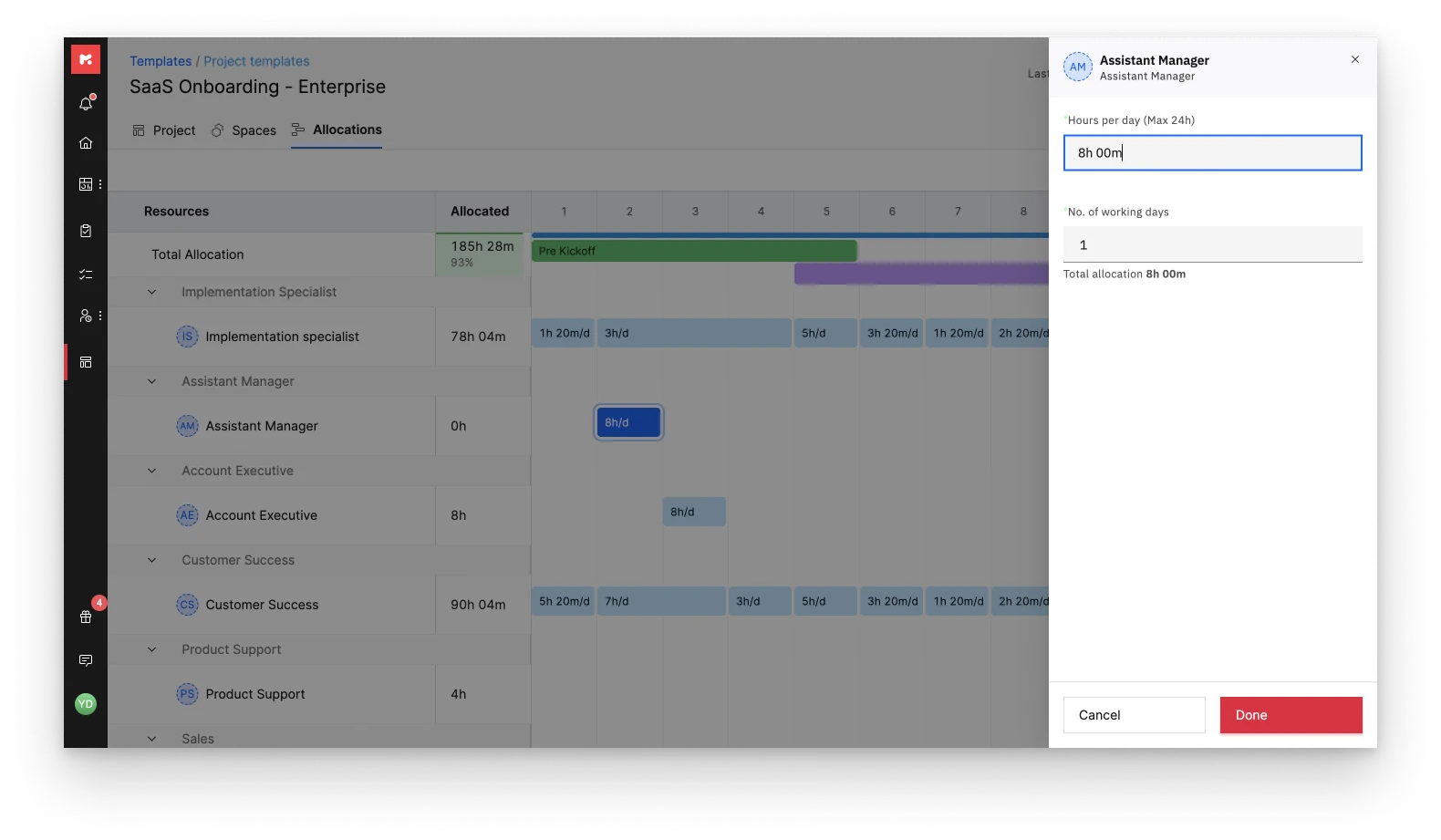
- Resource needs built into project templates, with optional auto-allocation from tasks, effort and dates.
- Outcome
- Resource Management shipped as part of Rocketlane's platform. Customers can now see how each project is performing, decide where to put their people, and give their own clients timelines with more confidence.
Full case study
How I approached it
I worked on one slice at a time: write several user stories, pick one, take it through a full cycle, then move to the next. Before designing anything we talked to a number of companies about how they managed resources, and kept going back to them to show progress and check whether the solution was solving their problem. The design went through many iterations and experiments.
A customer described the problem this way:
“…historically, we just haven’t done a good job of keeping track of how much time we’re spending on certain things. It’s hard to predict what human capital we need to plan for. It’s challenging to determine our capacity if we don’t know how long it takes to complete tasks. I don’t want to hire 40 percent more people to keep up. I want to work efficiently, identify bottlenecks, and if I notice a particular segment is growing at a certain rate, figure out how we can be more efficient with that segment, how we can achieve more with our resources.”
The questions project owners kept asking were:
- Which of my teams are available and can take up a new project?
- Who can help me on a specific date?
- Who is overworked or underworked, and do I need to hire?
- How can I make the best use of the people I have?
Understanding the team’s bandwidth
Many projects run in parallel, and a resource manager has to put the right people on each so it finishes on time and profitably. I started from the resource manager’s mental model: a project arrives, and they decide who will work on it. To help, the system needs to know who is on the project and how loaded they already are.
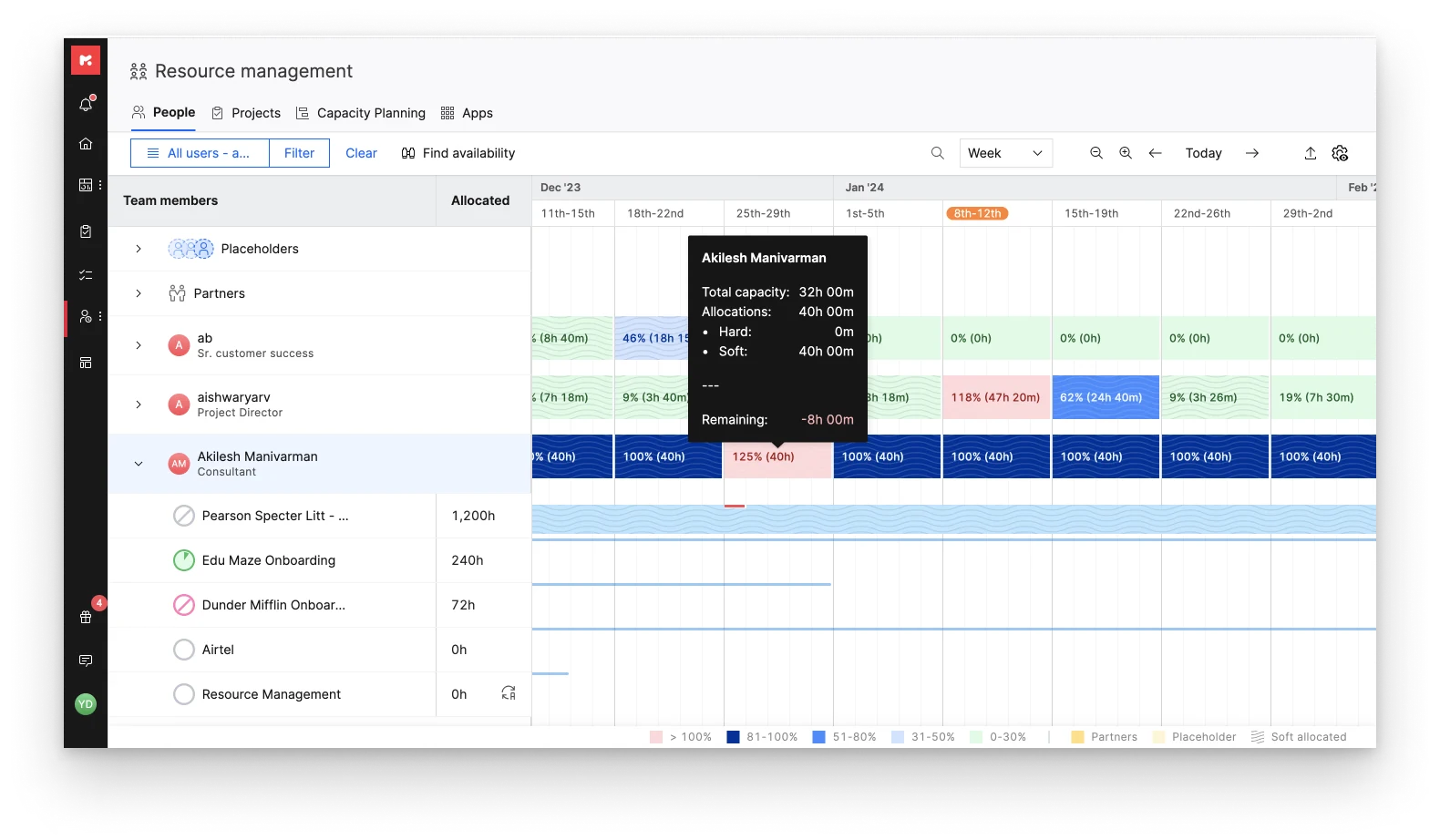
The People tab lists everyone in the account with their workload by week, month or quarter. Each person has a daily capacity set by the account admin, 8 hours by default. Availability is capacity minus allocated hours. I colour-coded the blocks so utilisation trends are visible immediately: red means someone is overworked and their load should come down. You can also see which projects are filling a person’s time.
Building the right team
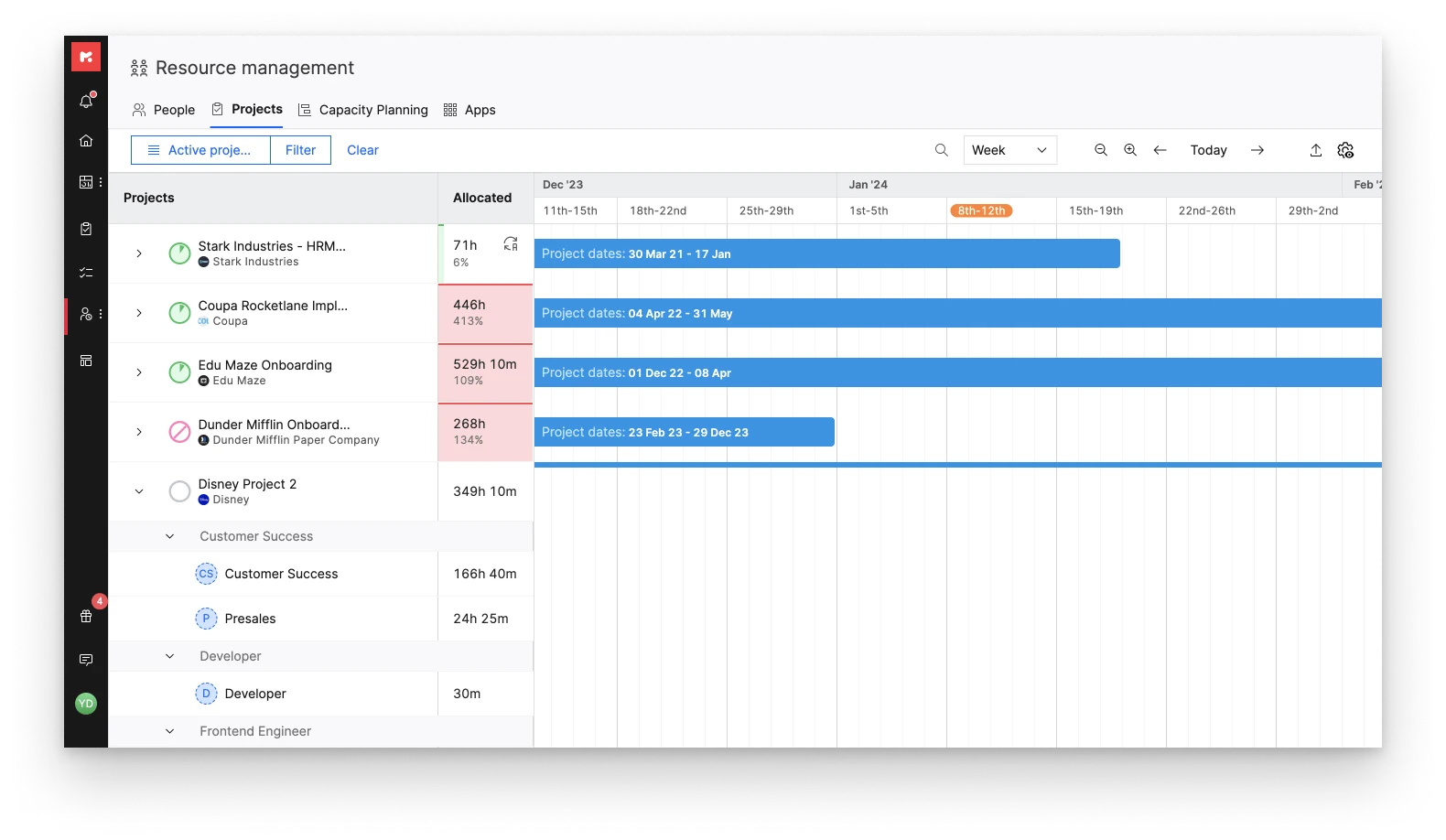
We also needed a view of every project’s timeline with its members and their load, so future projects could be planned and work spread reasonably.
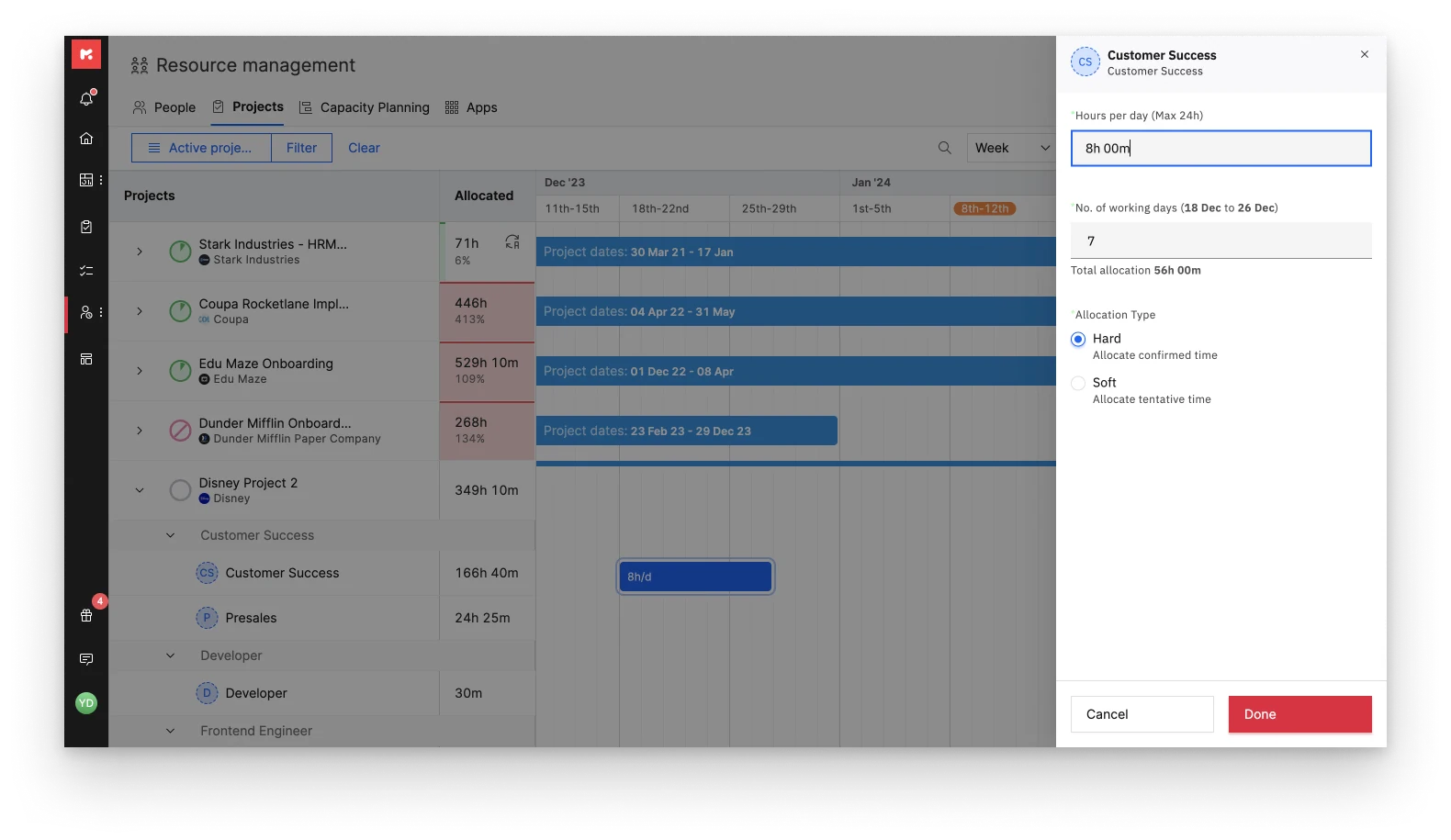
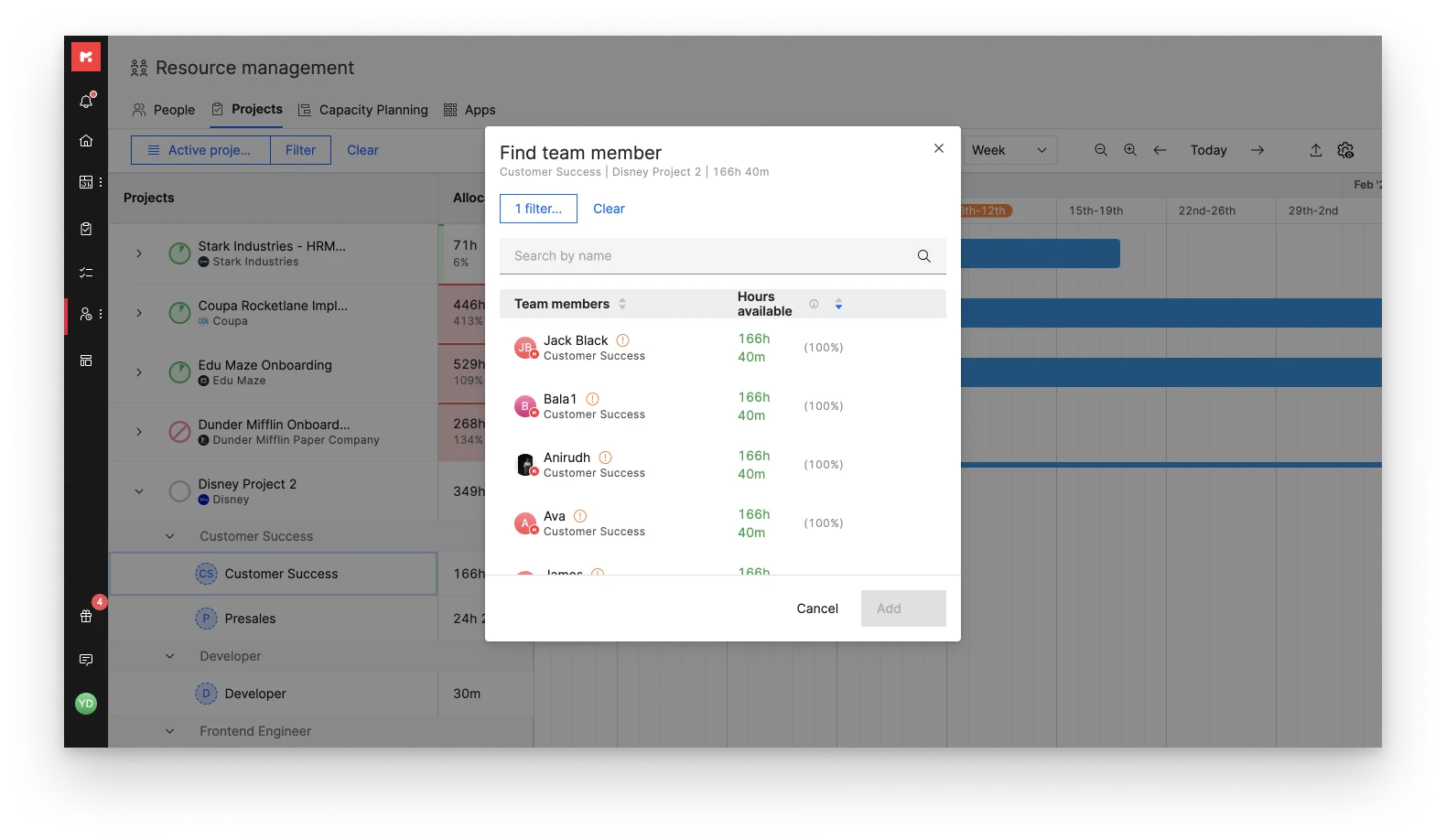
I added a Projects tab that lists every project in the account with its dates. You can add members and allocate time directly when you know who you want. When you only know the kind of person you need, Find team members searches by skills and availability and surfaces the closest match.
Aligning demand with capacity
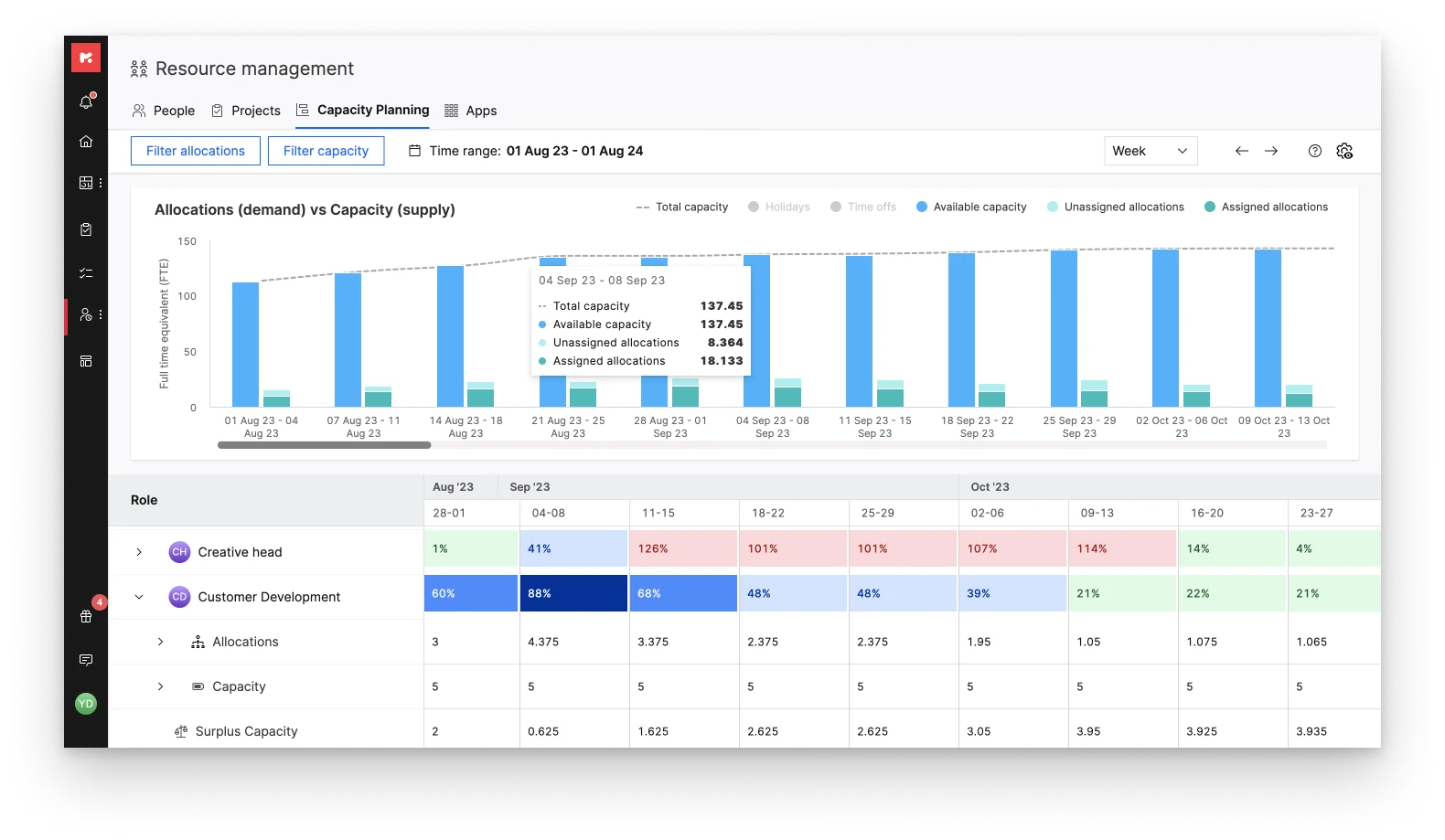
The People and Projects tabs showed workload and timelines, but resource managers still lacked the 30,000-foot view: what does demand look like against supply, and are we doing well?
Capacity planning lines up demand from the project pipeline with the capacity of the team. It helps managers check:
- whether they have people with the right skills, available when incoming projects need them;
- where to make data-driven decisions about hiring, upskilling and project priority.
Automating allocation
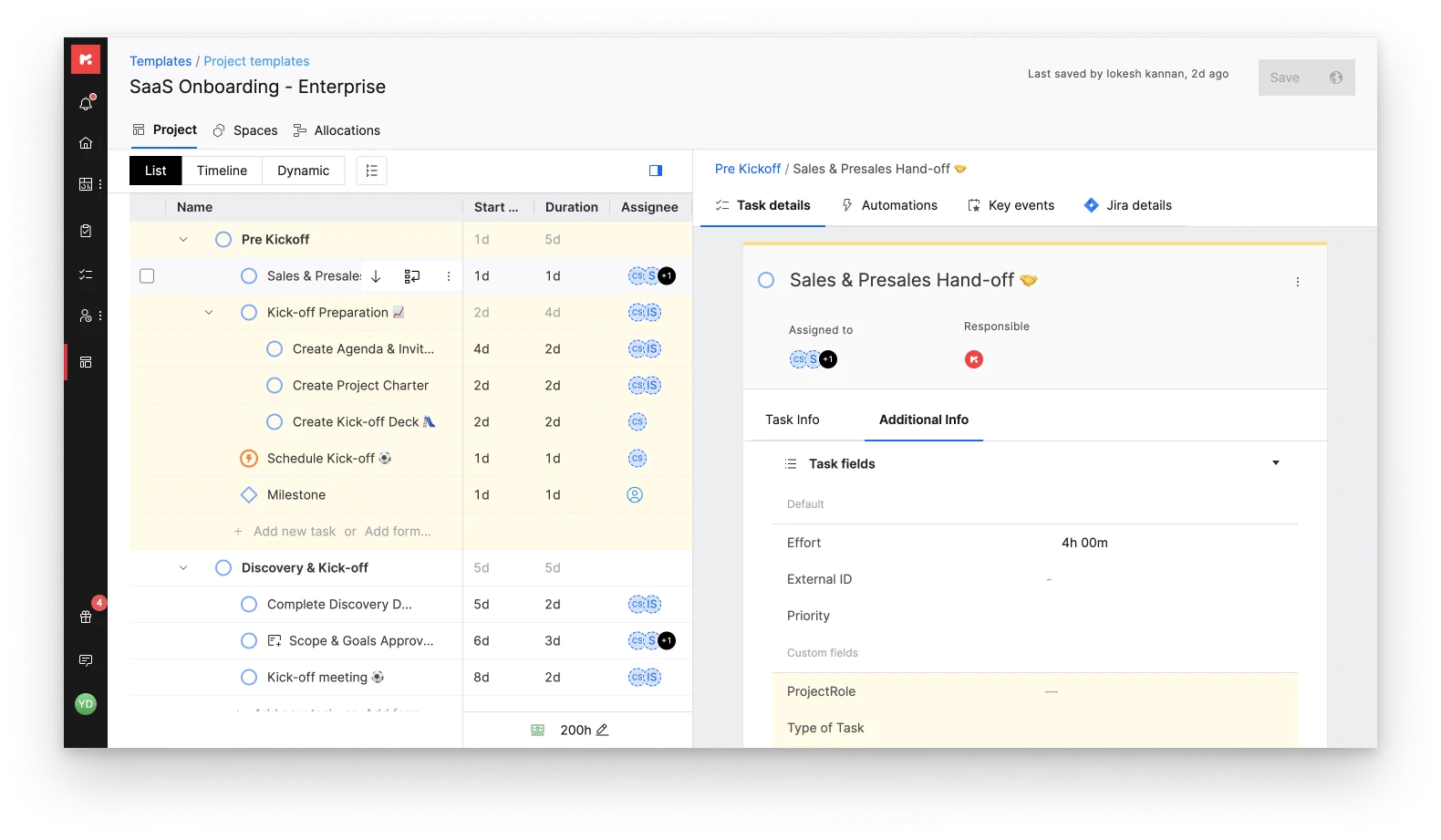
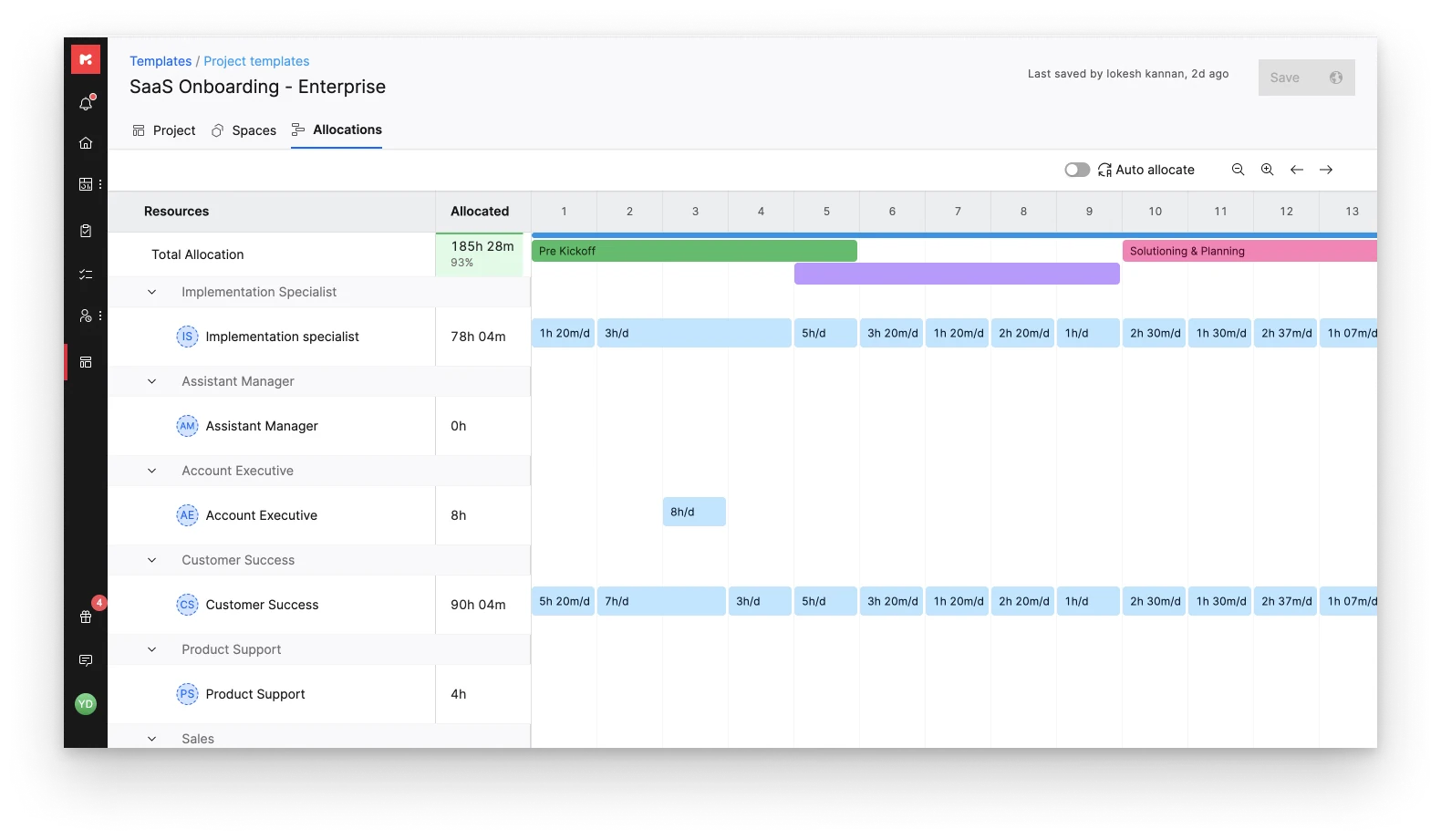
Most Rocketlane projects start from a project template, which removes a lot of repetitive setup. Resource allocation is also repetitive, usually right at the start of a project, so we let teams build resource needs into templates. Each task in a template gets a role and an hourly estimate. Allocation can then be done by hand or switched to auto-allocate, which generates it from tasks, effort, dates and assignees.
Impact
With the visibility Resource Management provides, vendors can see how each project is performing and the progress being made. They know where to focus their attention and people, and it has helped them communicate timelines to their clients with confidence.