Rocketlane · 2021–2022
Partner Central
Letting companies bring outside partners into client projects with the right visibility and control.
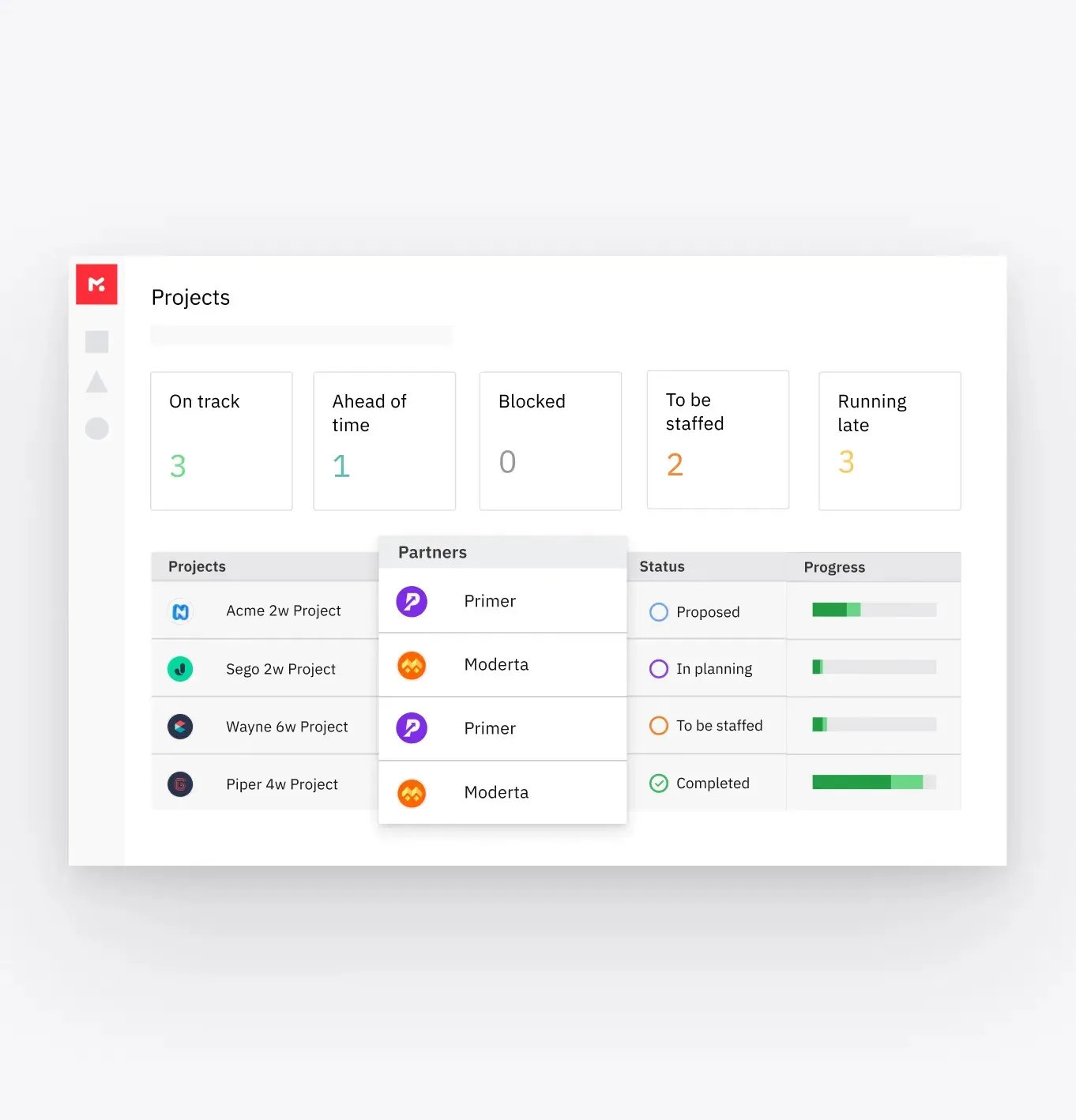
who sees what, per partner
The short version
About 2 minutes
- Situation
- Client-facing projects often involve more than the vendor's own team. Work gets outsourced to freelancers or partner companies, sometimes several at once across many projects.
- Problem
- Vendors had no clear view of which partners were on which projects, or which partner employee was doing what. Accountability for tasks was weak.
- Why it mattered
- The vendor answers to its client for all of the work, including the parts partners do. At the same time, partners belong to another company and shouldn't automatically see everything.
- What made it hard
- Rocketlane had two personas, vendors and clients. Partners added a third.
- Permissions and visibility rippled into areas that didn't look connected at first.
- Some vendors don't want clients to know they use partners at all.
- A mandatory "role" field at sign-up blocked partner admins from finishing registration.
- My role
I led the design of the partner model, invitation flows, access levels and edge cases, working with a product manager and two engineers.
With Arushi Ladha (Director of Product), Mohamed Imthihas (Frontend Engineer), Shaquib Nesar (Backend Engineer)
- Key decisions
- Three access levels for partners (Permissive, Moderate, Restricted), so vendors decide how much each partner sees.
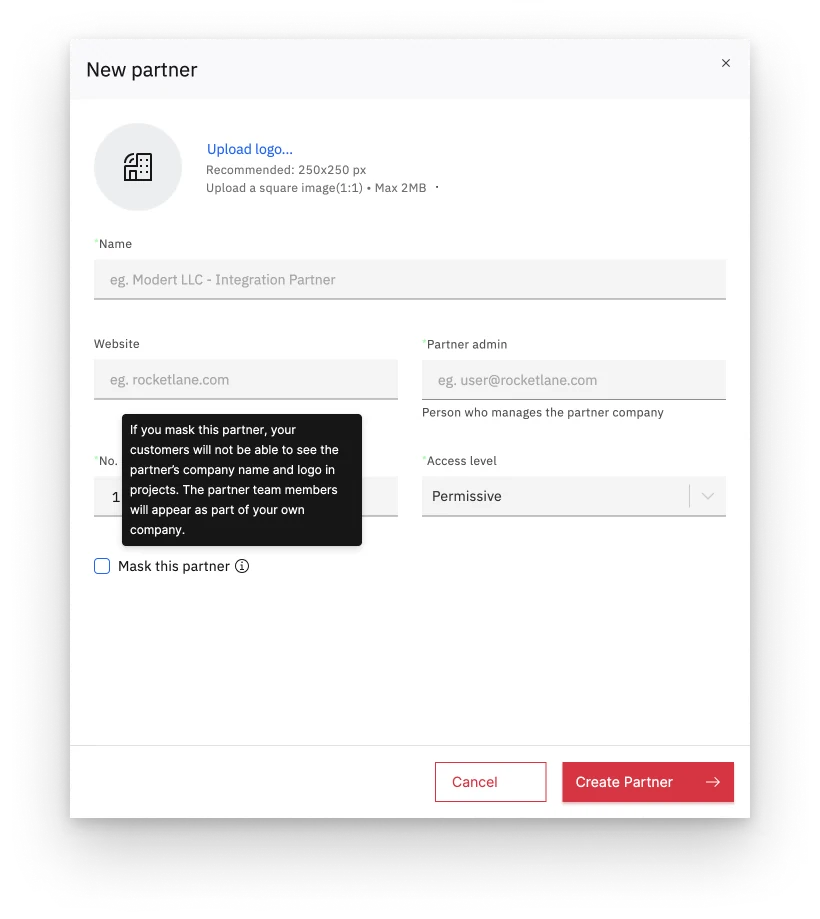
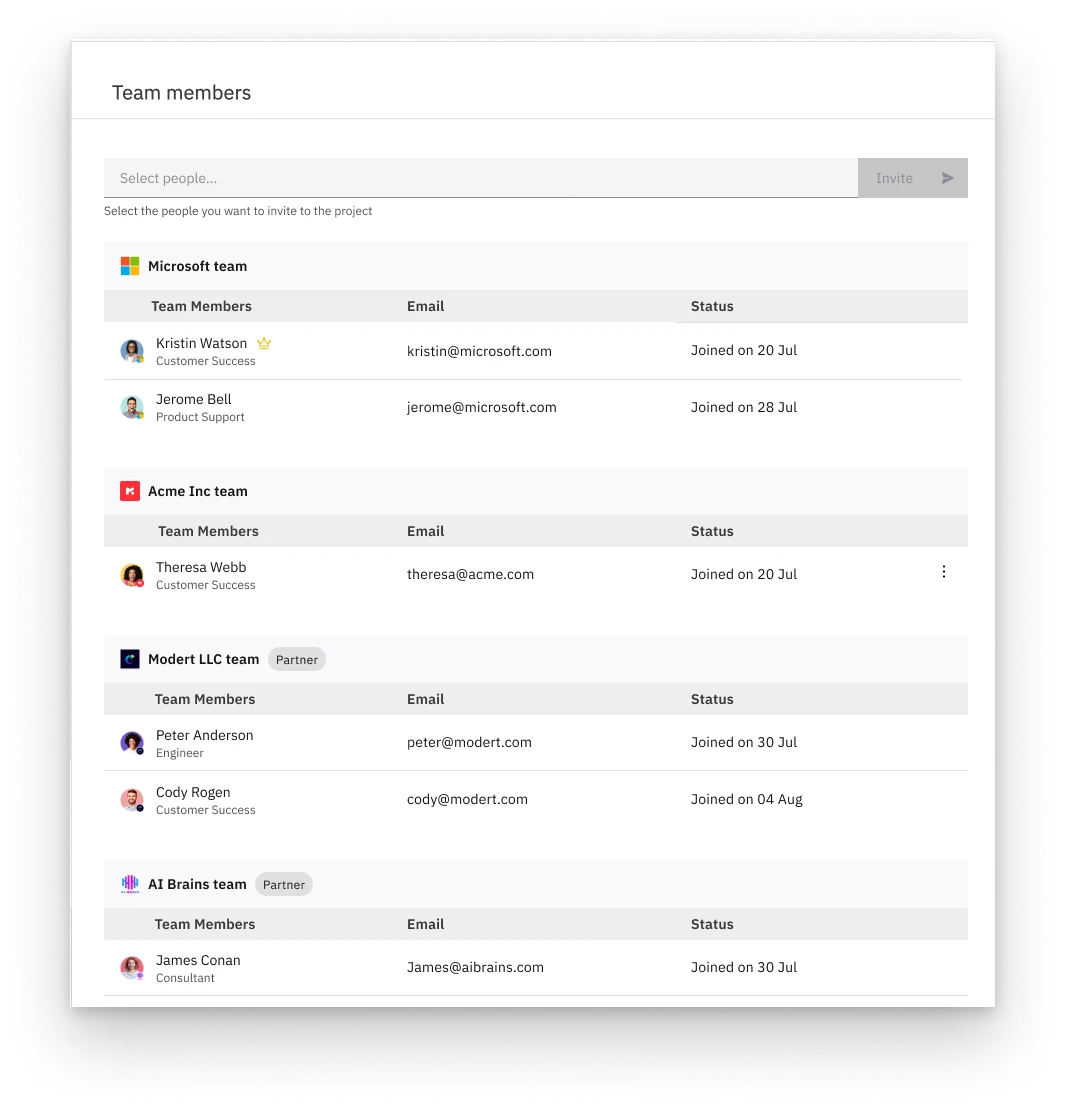
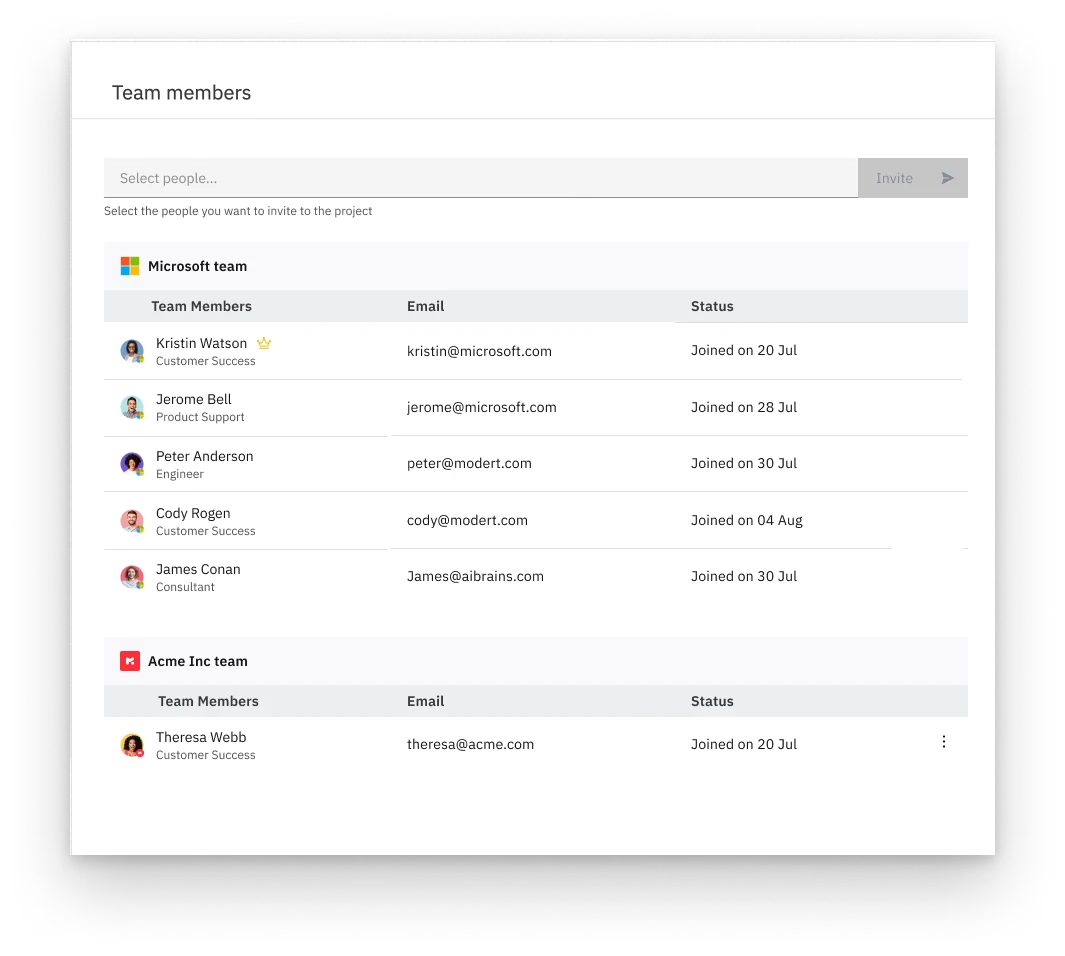
- Masking, which lets a vendor show partners to clients as a separate company or as part of the vendor's own team.
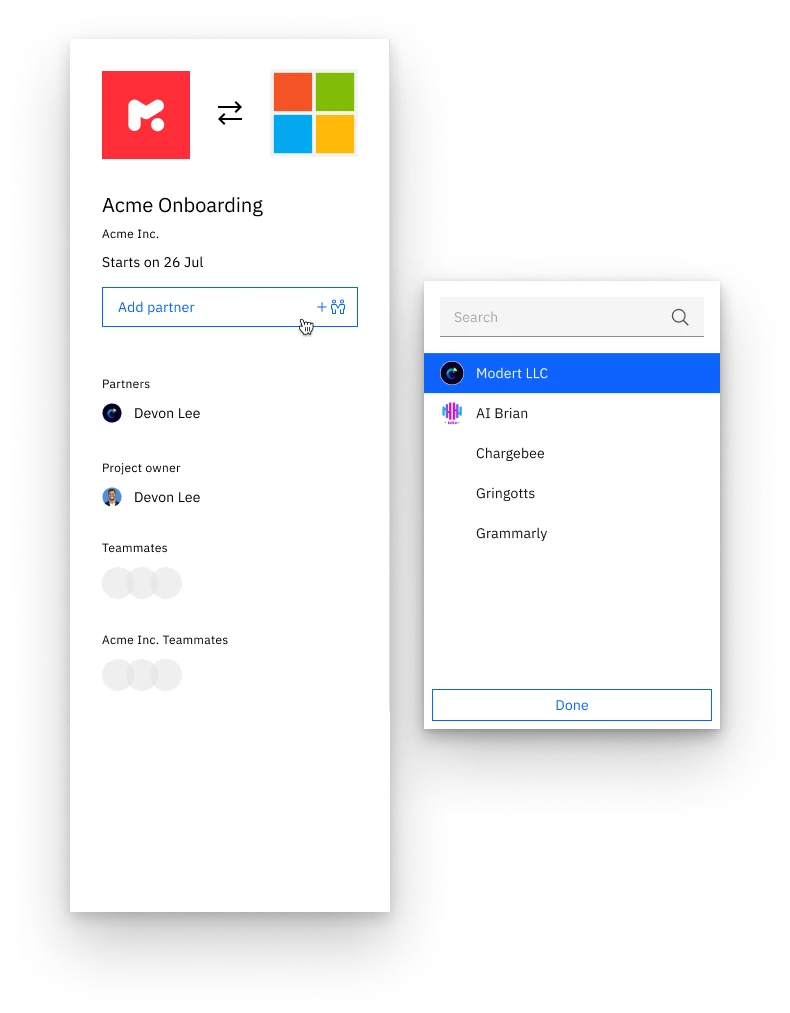
- Partners can be added when a project is created or later, and the partner admin invites their own people.
- An extra step that asks which roles partners can use, plus a matching account setting, to fix the sign-up dead end.
- Outcome
- Partner Central shipped as part of Rocketlane's platform. Companies can now manage projects with their partners and their customers in one tool.
Full case study
How I approached it
Rocketlane is customer-facing software. The vendor is the service or product provider, and clients are the vendor’s customers. Partner Central introduced a third persona, partners: outside teams who help the vendor deliver. They can be assigned tasks, join conversations and share updates like any team member, while the vendor keeps full visibility of their work and progress.
What made this feature interesting was how much of it came down to permissions and visibility, and how those decisions reached into parts of the product that didn’t seem related.
Inviting partners
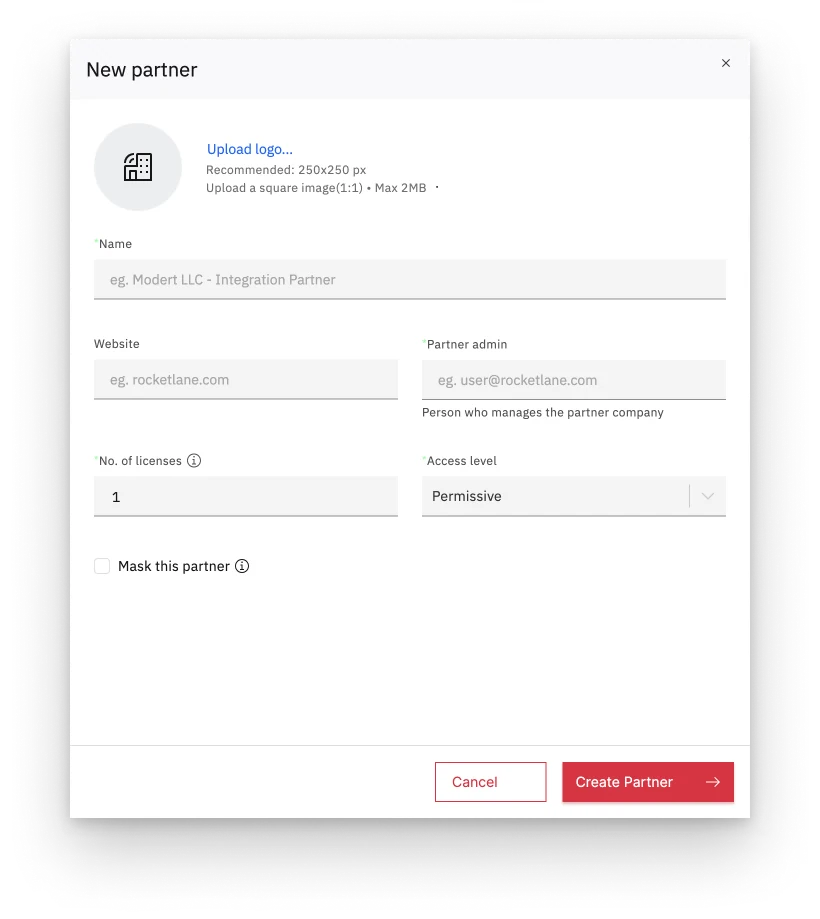
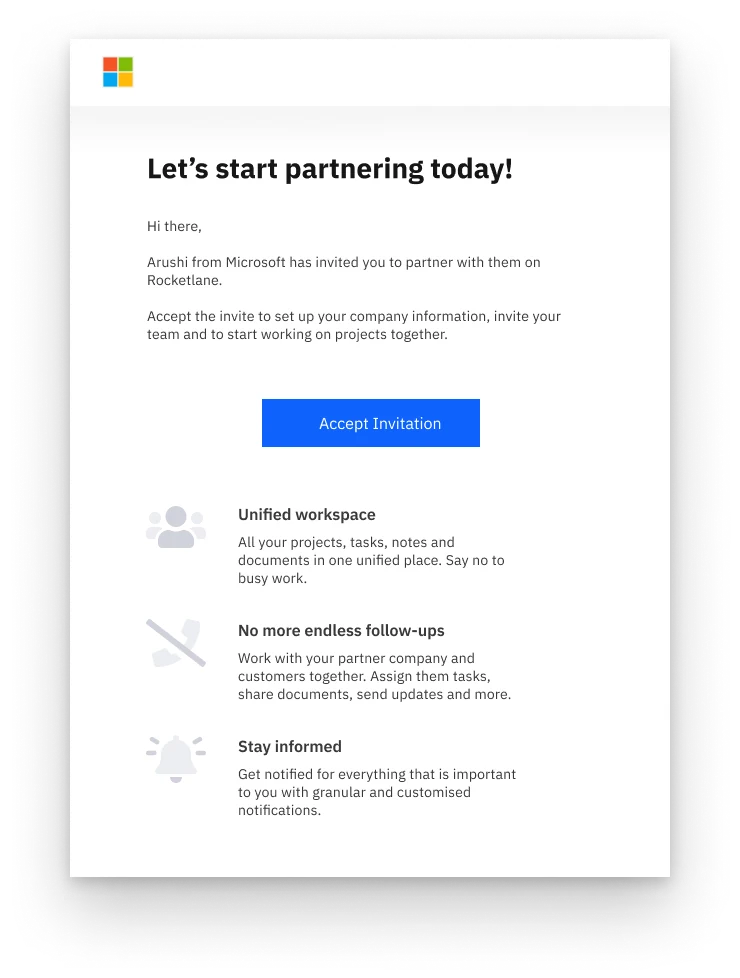
Inside any organisation, a person has to be added to a tool before they can do anything in it, even if they’re employed there. Partners are the same. When a partner company is created, the vendor also names a partner admin, who becomes the point of contact for that company.
Deciding what partners can see
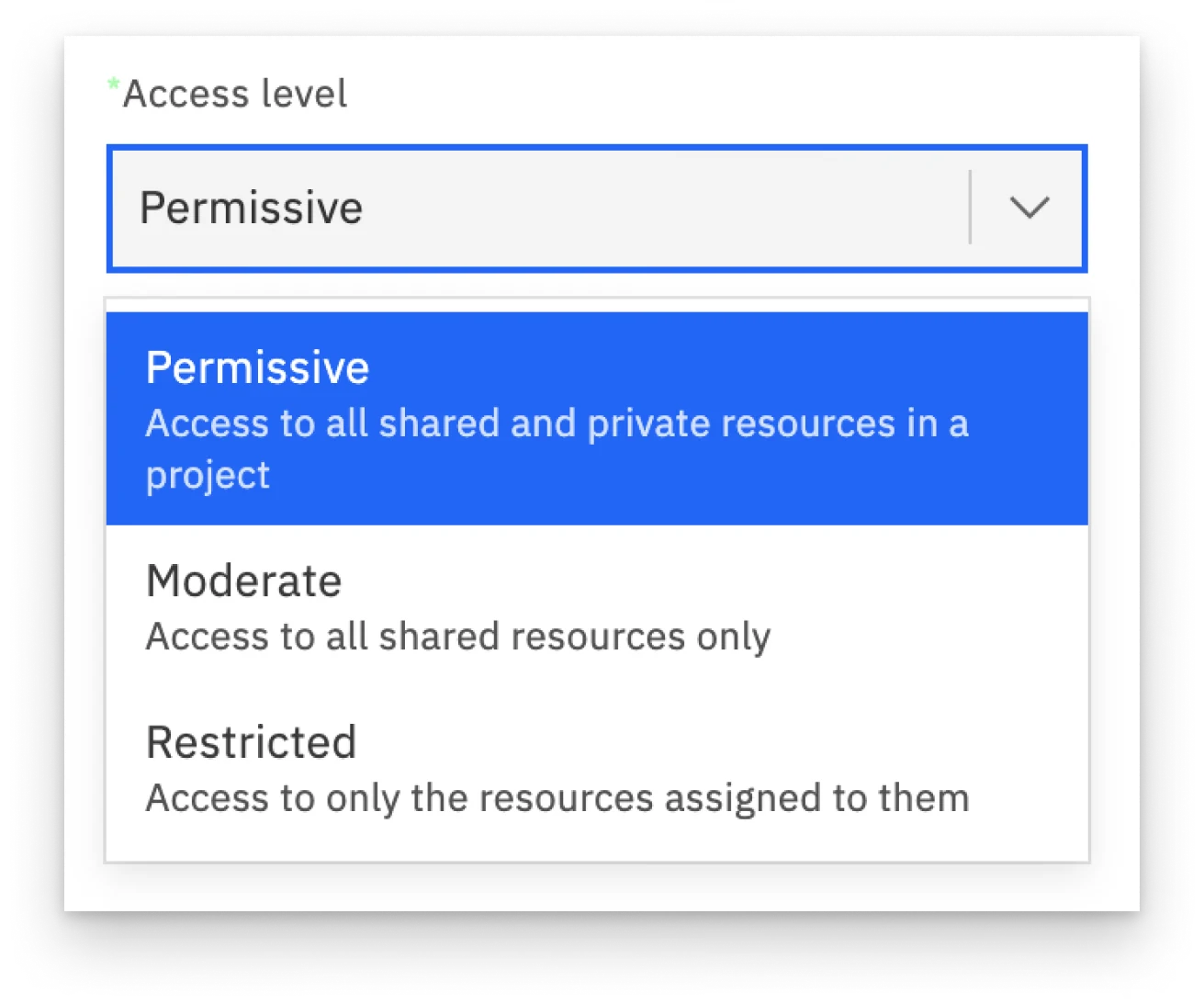
Partners work like external team members, but they belong to another company. Vendors may not be comfortable sharing every project detail, some of which is confidential. So partners get one of three access levels:
- Permissive: the same capabilities as vendor team members, but only on the projects their company is part of.
- Moderate: similar access, limited to shared or public information.
- Restricted: access only to what they’ve been assigned.
Masking partners
Not every vendor wants clients to know they’re working with someone else, sometimes because they don’t want to reveal how they operate. Masking lets the vendor choose: show the partner team to clients, or have partners appear as members of the vendor’s own team.
Collaborating on a project
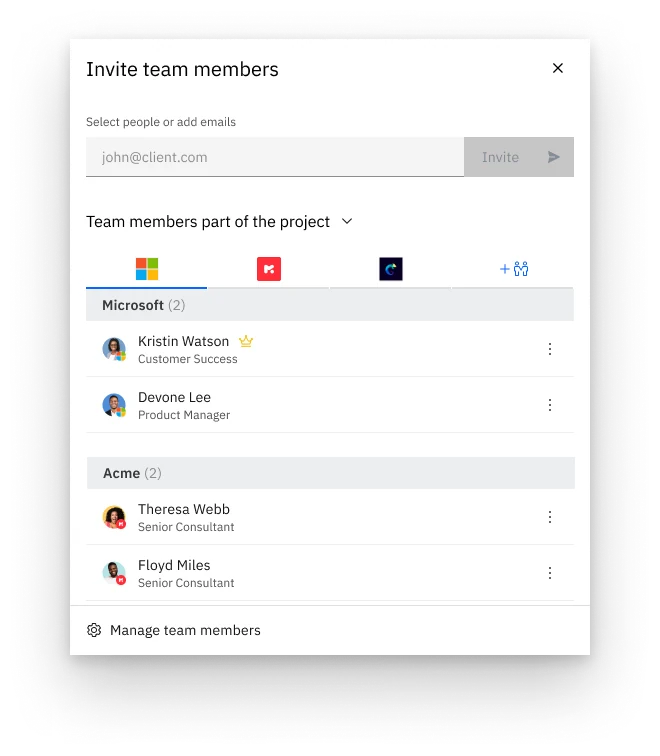
At project creation, the vendor often doesn’t know which partner employees will work on it; the partner admin knows better. So a partner company can be added when the project is created, which emails the partner admin an invite. After that, both the vendor and the partner can invite partner members. Partners can also be added later, because companies set projects up differently: most fill in everything at creation, some don’t.
A chicken-and-egg problem
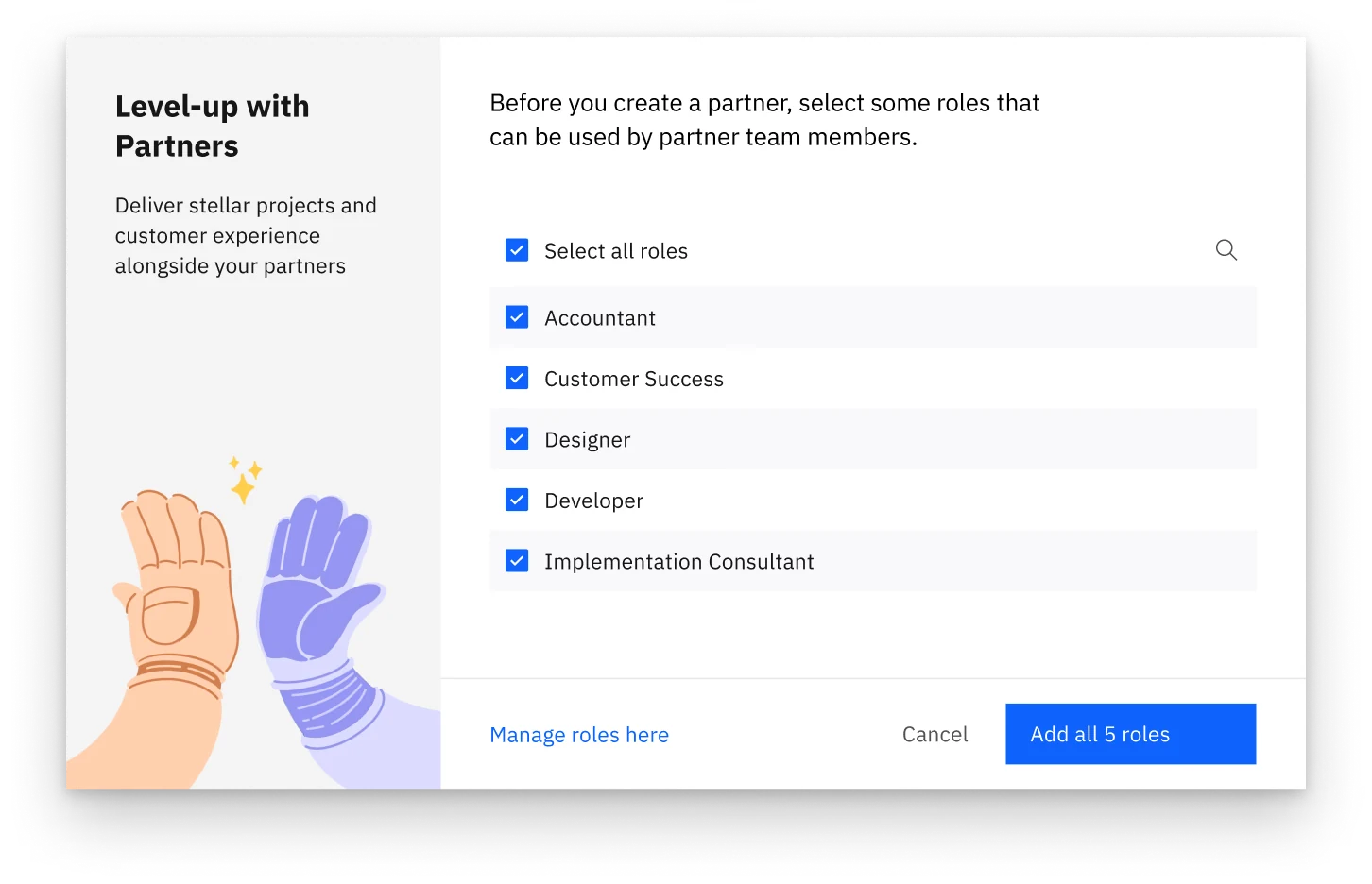
Once the main flows were designed, we found an edge case. In Rocketlane, role drives task assignment and reporting, and it’s mandatory on the sign-up form. Only vendor admins can create roles. But vendor admins often don’t know what roles incoming partner members will have. A partner admin would get the invitation email, try to sign up, and get stuck: the mandatory role field had nothing to choose from.
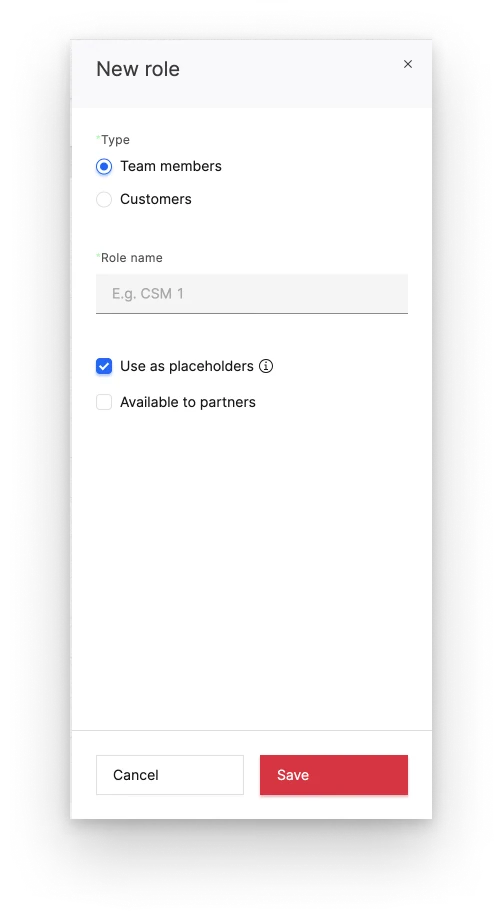
To fix this, I added an intermediary step before a new partner is created for the first time, asking which roles partner members can use. These come from the roles already defined for the vendor’s team. The account settings where roles are created also gained an option for whether each role is available to partners.
Impact
With Partner Central, companies collaborate better with their partners and customers, and run project management with all of them in one tool.