Rocketlane · 2021–2022
Forms
Turning scattered intake requests into a repeatable step inside every client project.
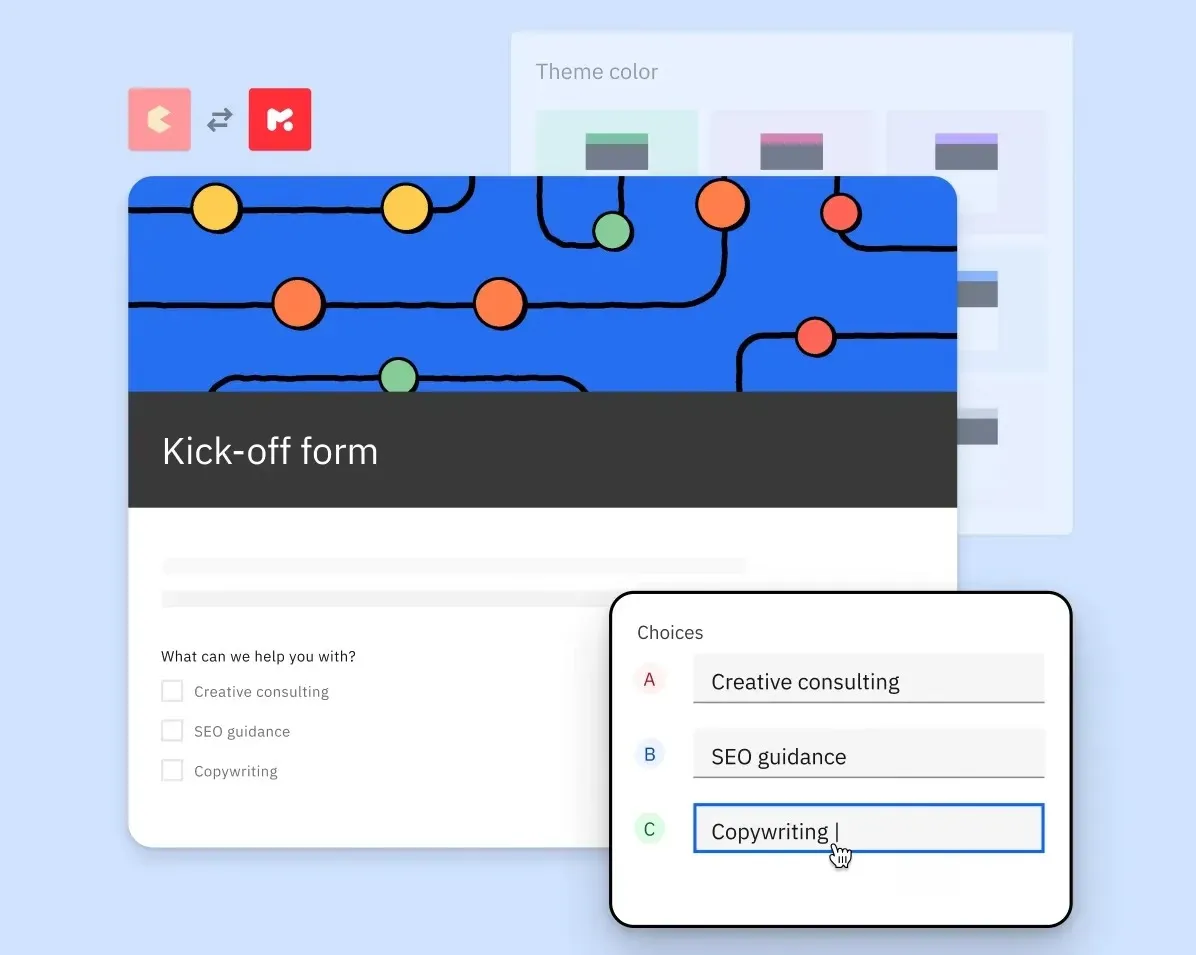
one form, in every project
The short version
About 2 minutes
- Situation
- Vendors using Rocketlane gathered requirements from their clients with separate form tools, outside the onboarding project where the work actually happened.
- Problem
- Form links were shared separately, nobody could see who should respond or by when, only the creator could see answers, and responses had to be copied back into the project by hand.
- Why it mattered
- Collecting information is a step in almost every onboarding project. Doing it in another tool broke visibility for both sides, doubled the work, and cost customers an extra subscription.
- What made it hard
- The same form is reused across many projects, which makes responses hard to compare.
- Responders can be the vendor's team, their clients, or anyone on the web without an account.
- Forms needed to live in the project plan next to tasks, yet behave differently from tasks.
- Answers needed analysis per project and across every project that used the form.
- My role
I led the design of the form builder, how forms appear and get filled inside projects, and how responses are read, working with a co-founder as product manager and two engineers.
With Vignesh Girishankar (Co-founder and CPO), PraveenKumar K (Frontend Engineer), Shaquib Nesar (Backend Engineer)
- Key decisions
- Forms are templates, like project templates. One master form, many project instances, with responses rolled up at the template level.
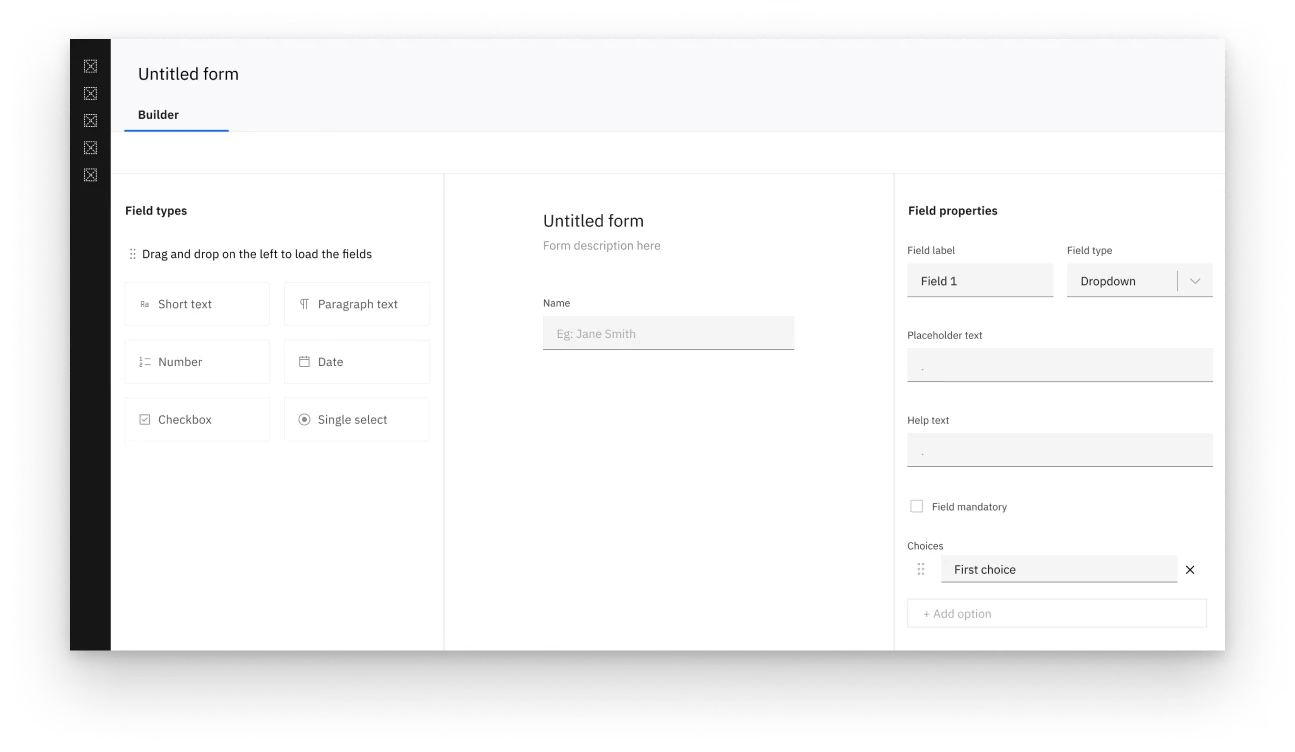
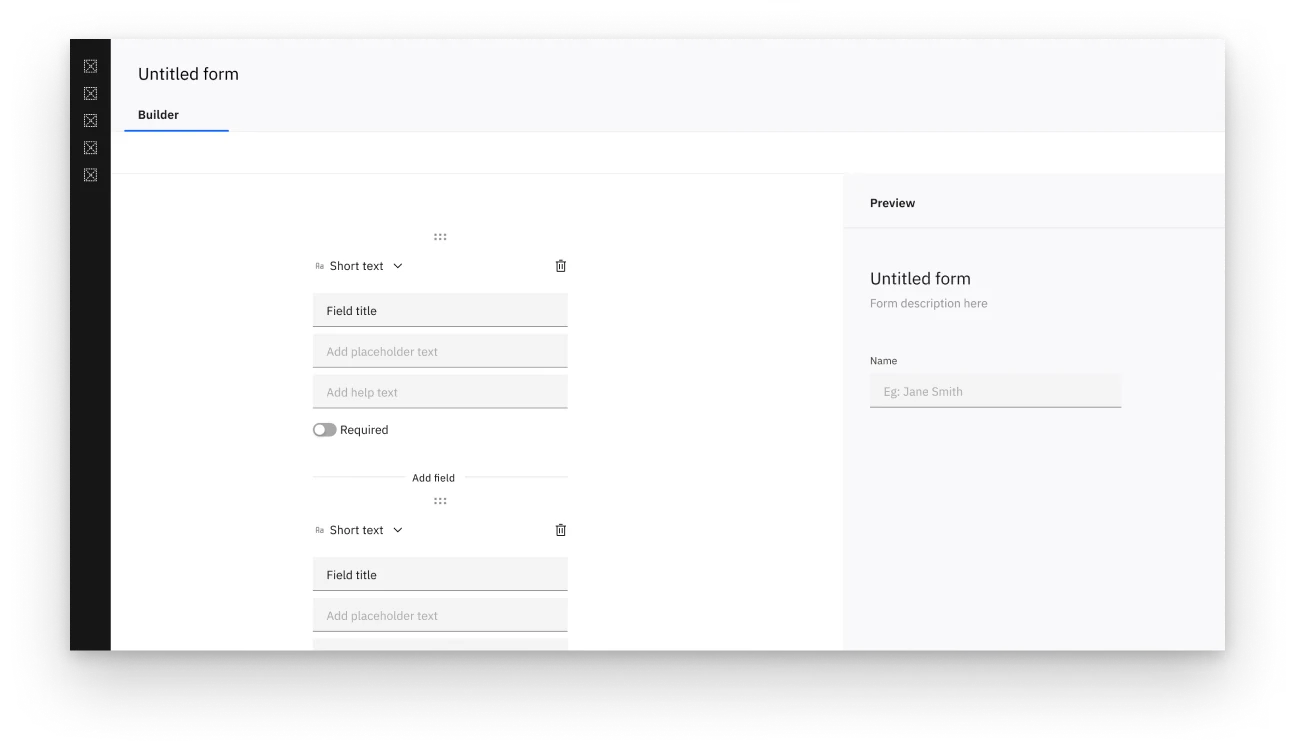
- The builder has three separate areas (field list, form preview, editing), chosen from five layouts I explored.
- Forms open in their own pane with an assignee, due date and conversation, instead of being squeezed into the task pane.
- A "who can respond" setting, including anyone on the web, so external forms work without a login.
- Outcome
- Forms shipped as part of Rocketlane. Vendor teams get feedback faster, responses arrive organised, and teams have cut the cost of running separate tools.
Full case study
How I approached it
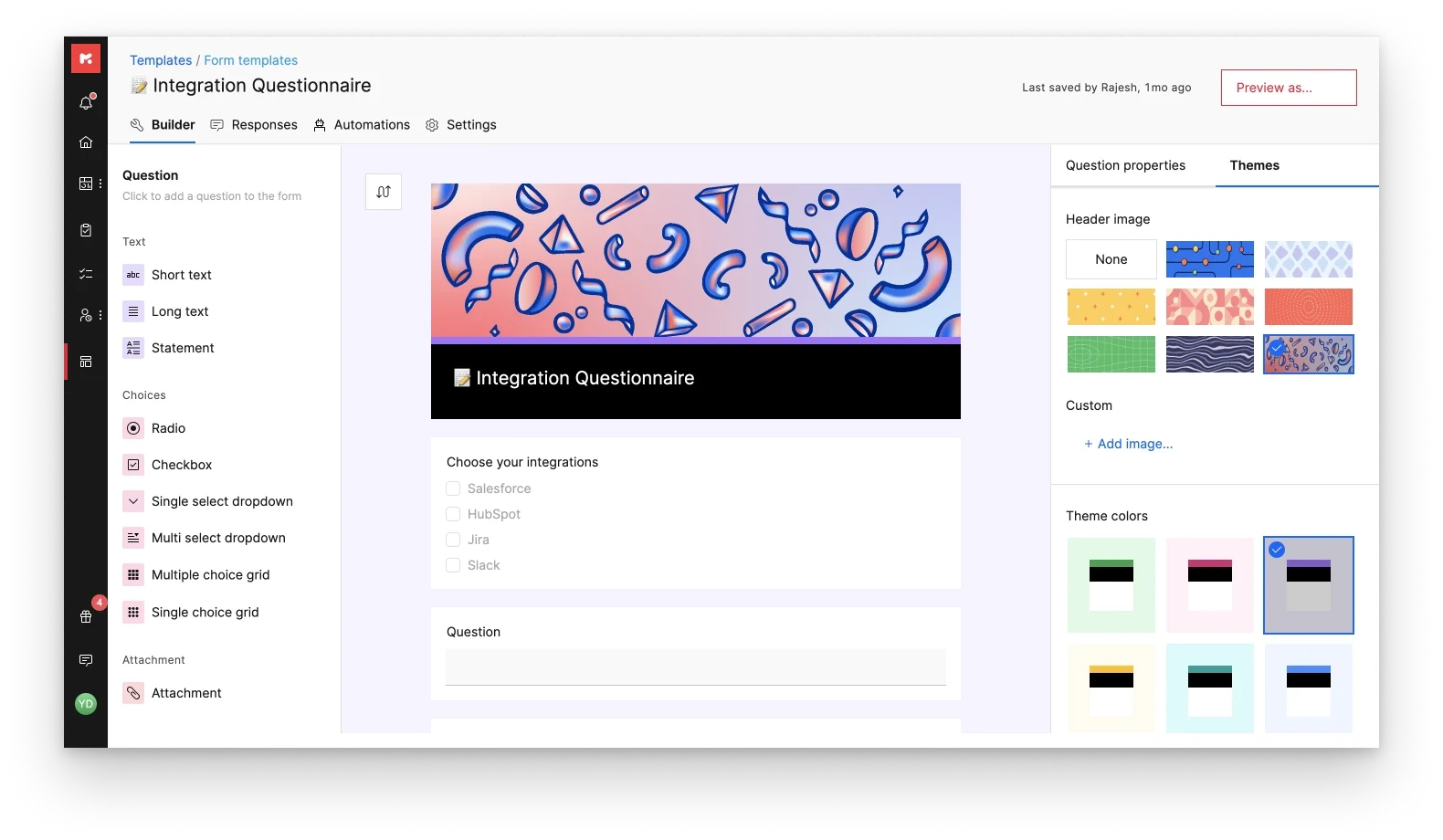
Rocketlane Forms brings requirement gathering into the project workflow. Teams get visibility across many projects, can automate actions after a response is submitted, and can customise how forms look to match their brand.
How is a form used?
After understanding the challenges, we asked a simple question: how is a form used? The purpose changes (registering event attendees, procurement, client kick-off) but the structure stays the same:
- Creation: a form is built for a specific context and need.
- Collection: it’s put to work, gathering responses.
- Consumption: the captured data is used to find insights and make decisions.
Creation: getting the builder right
Talking to customers surfaced one insight early: the same form is often used across different projects. In other tools, people end up making a copy for each project, and comparing responses becomes painful. So we made forms templates, the same way Rocketlane already templatised projects. One master form, many instances on different projects.
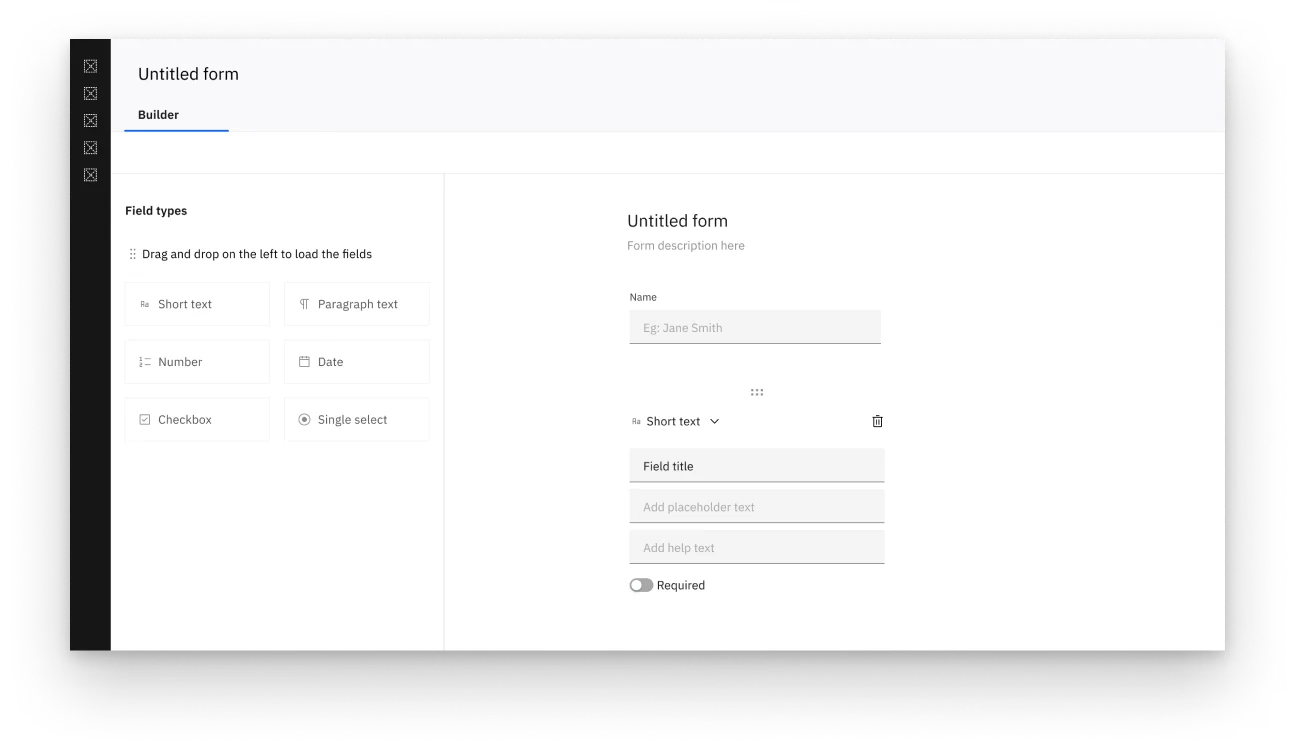
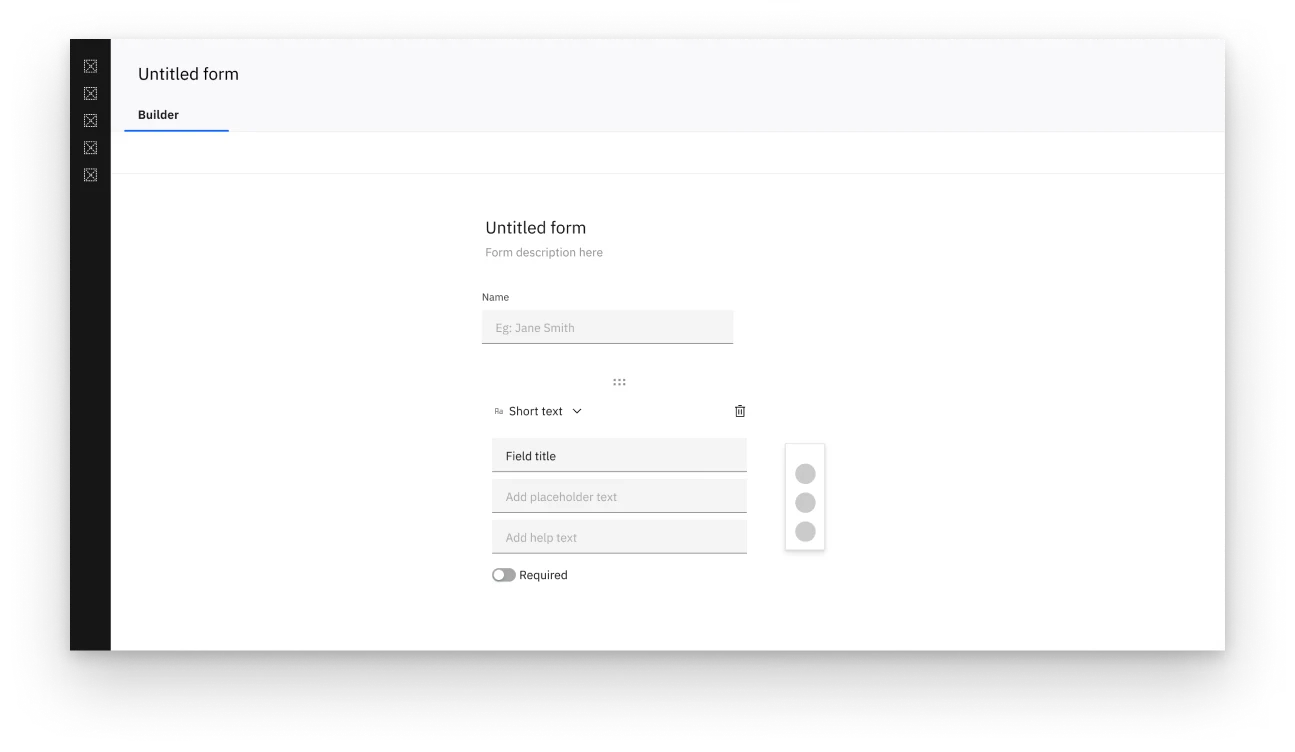
Forms are built with care and a clear purpose, so the creation experience had to work first. I started with several wireframes for the builder’s overall layout, focusing on the most important and frequent actions:
- seeing the field types available to build with;
- seeing how the form looks as fields are added;
- customising the form.
To keep the learning curve low, I chose option 5, which separates the builder into three areas: field list, form view and editing.
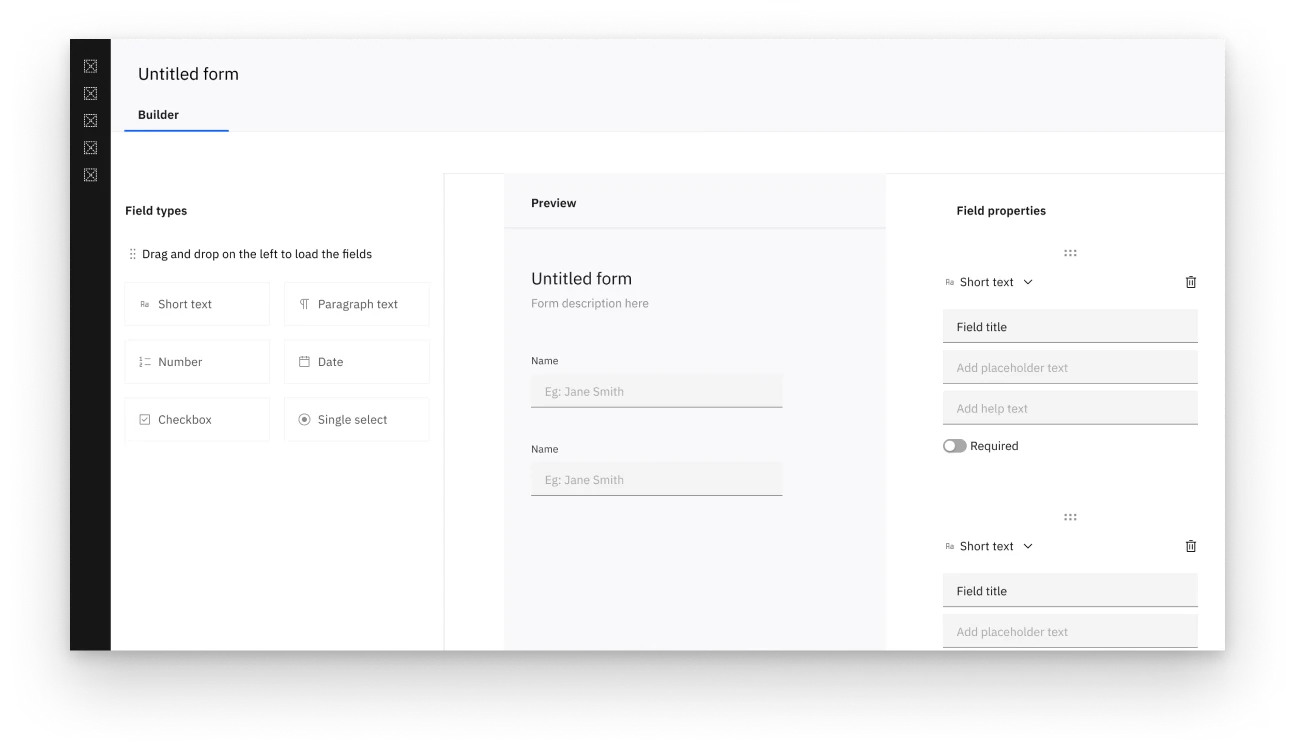
With the core in place, I moved to details, including sample themes and header images so people could focus on content while the system took care of appearance. Forms also support brand colours, custom headers and background images.
Collection: designing for the common case
In Rocketlane everything revolves around the project plan, a kanban-like view that tells the team what to pick up next. Forms are part of that pipeline, so they belong on the plan. Whether the vendor’s team or the client has to fill one in, seeing it there keeps everyone clear on when it’s due and who owns it.
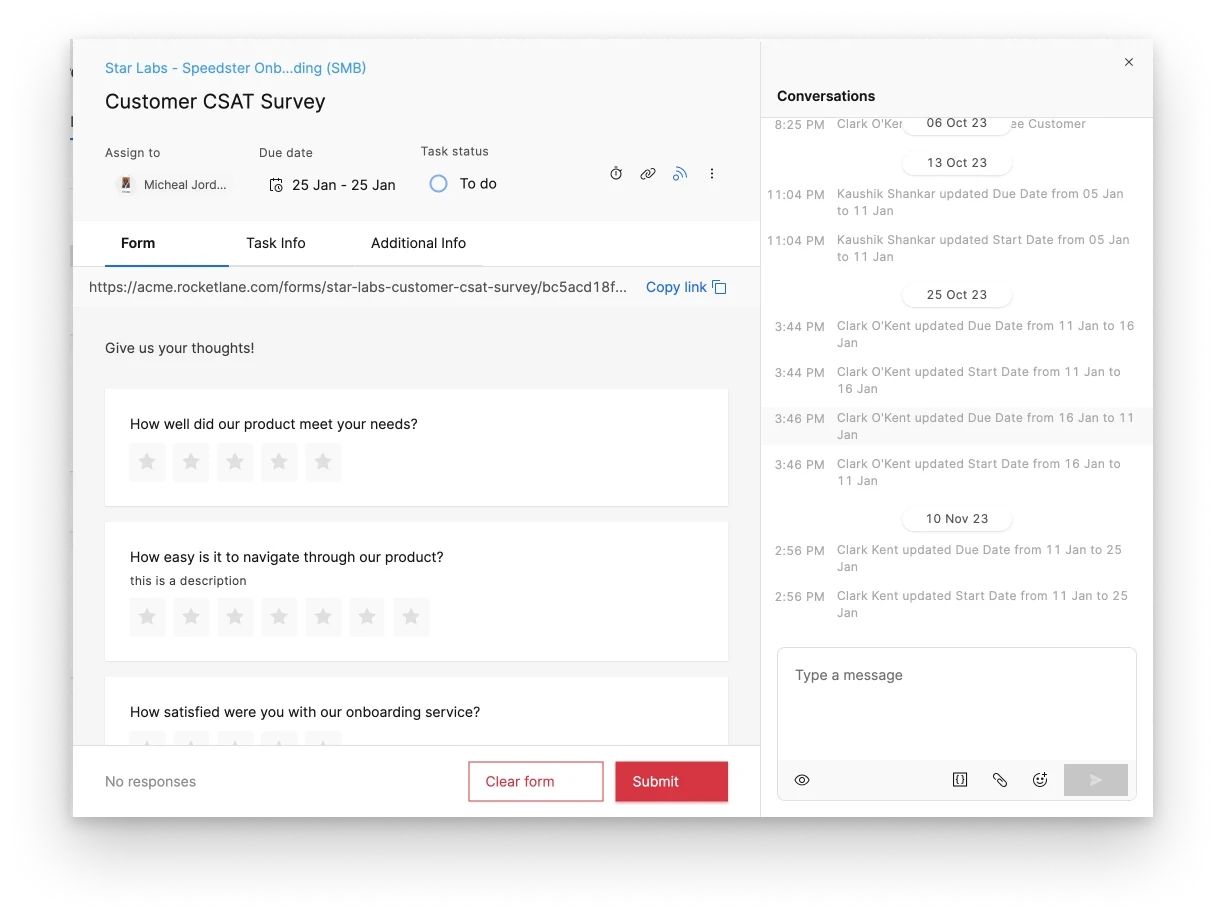
My first version put the form inside the task pane. It felt crowded and force-fitted, and some customers used very long forms. Filling a form needs attention, so it needed its own space. We gave forms a separate pane: like the task pane, with an extra Forms tab and its own conversation, plus everything a task has, such as an assignee and a due date.
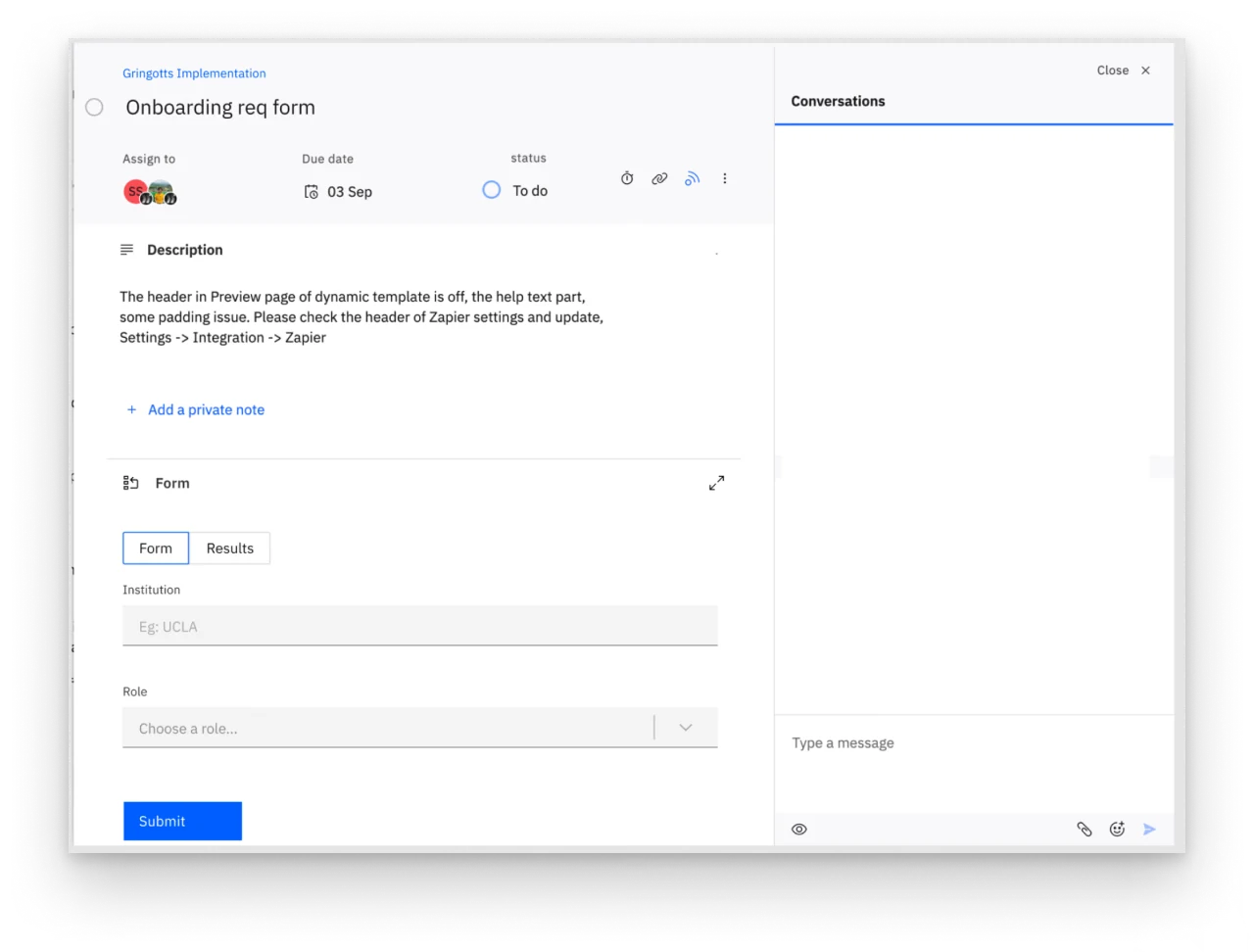
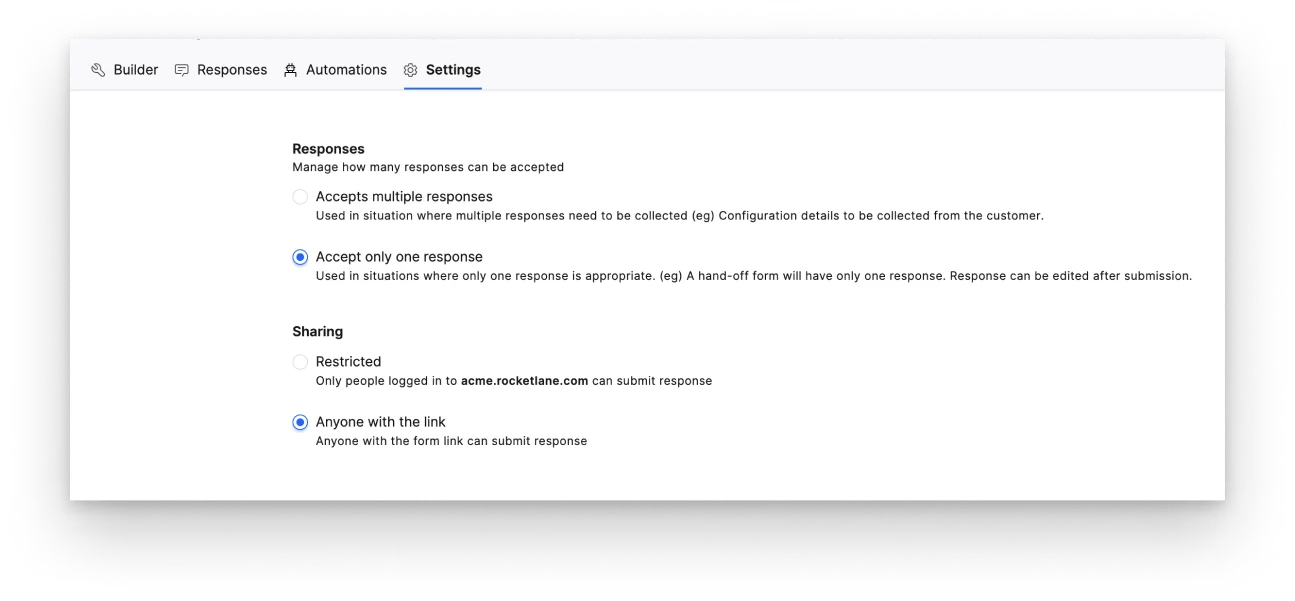
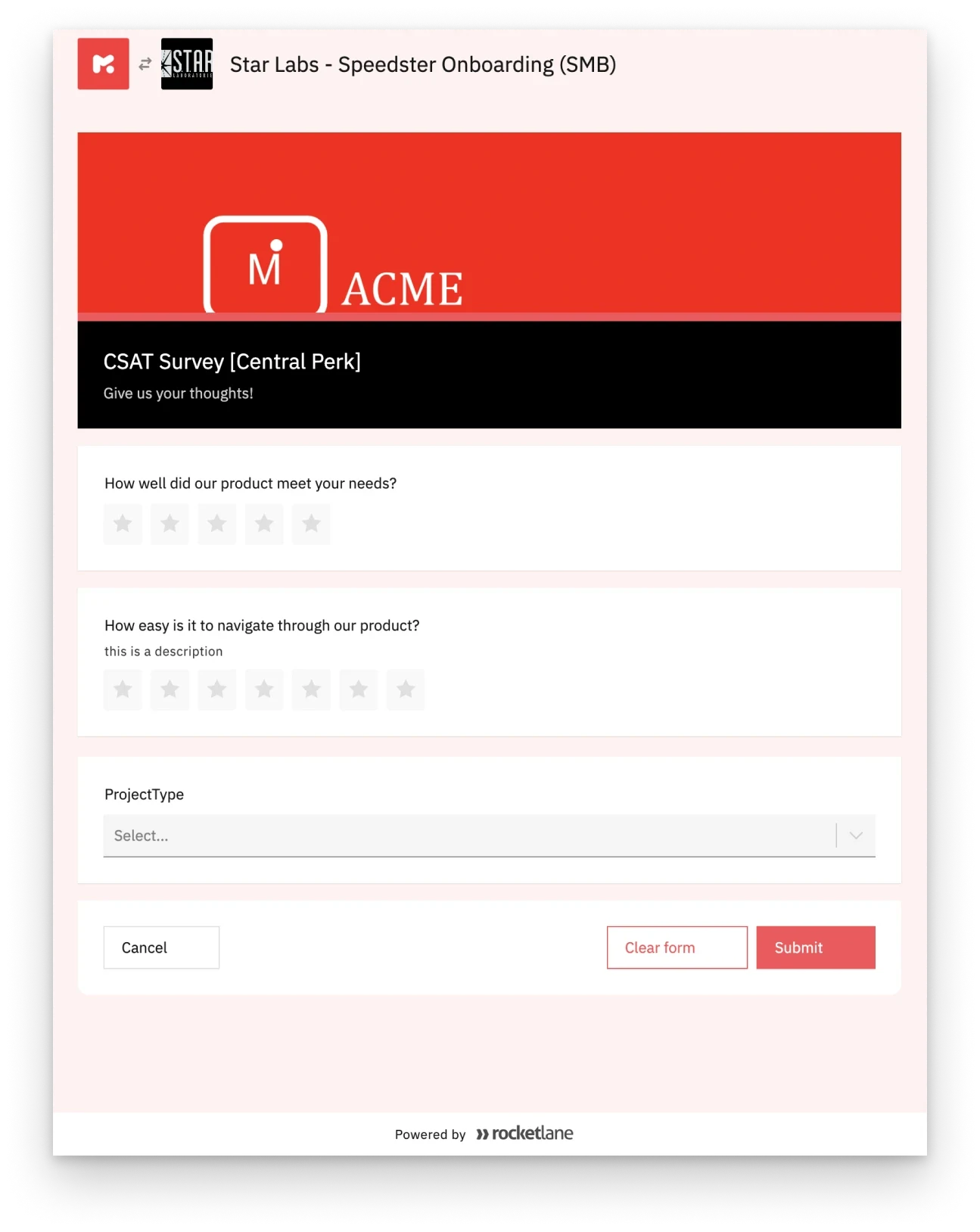
Collection had another challenge. People with Rocketlane accounts could open forms inside the product, whether the form was internal (a resource request) or for a client (information gathering). But some forms, like an event registration, need to reach anyone on the web, who won’t have an account. We added a setting for who can submit a response. When it’s set to “anyone on the web”, someone who isn’t logged in can still respond through a web view.
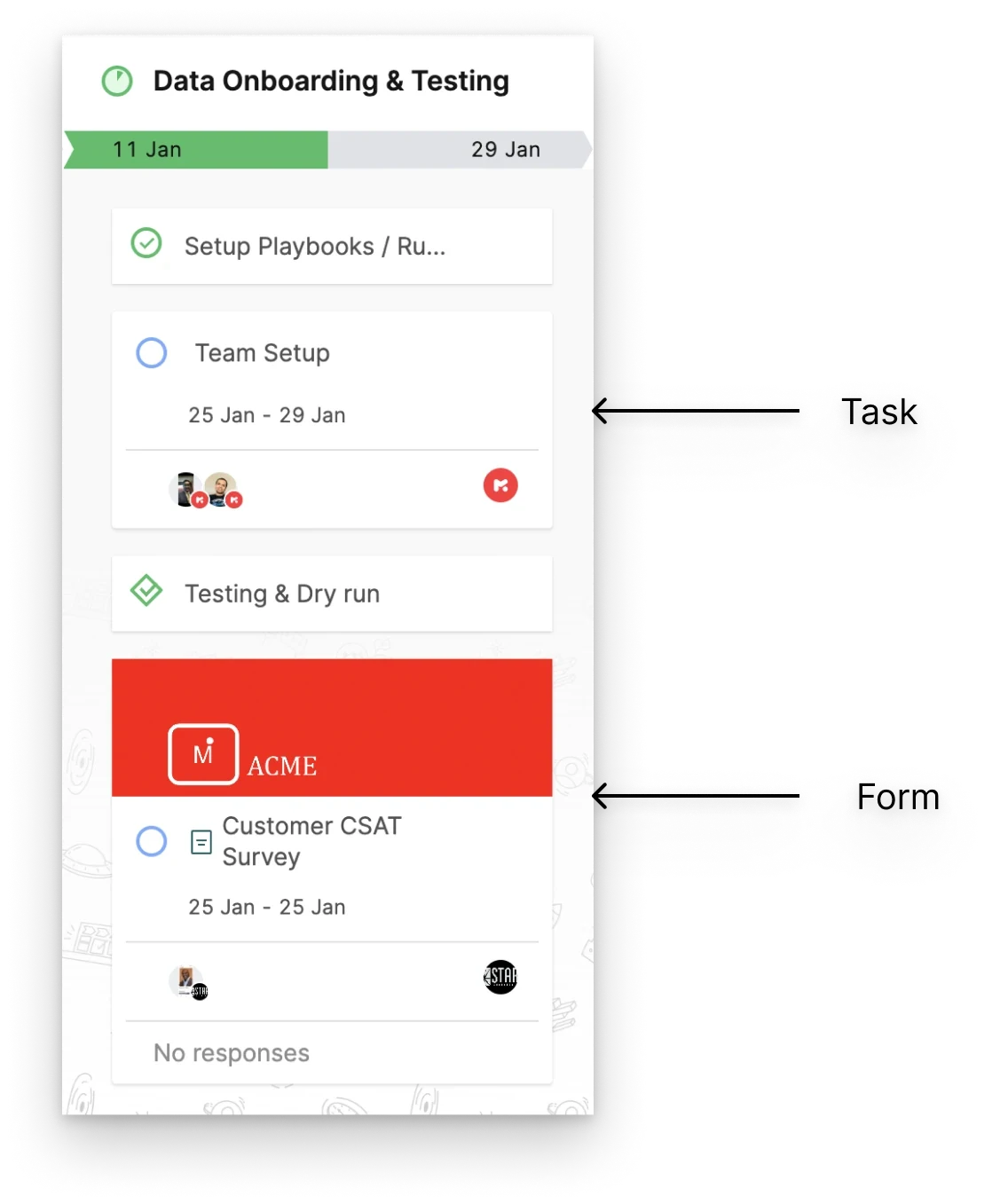
The project plan also had only task cards. Forms needed cards too, recognisably different from tasks. I kept the card structure and added a header image as the form indicator, with a fallback image when the form has none, so the difference is always visible.
Consumption: making sense of the answers
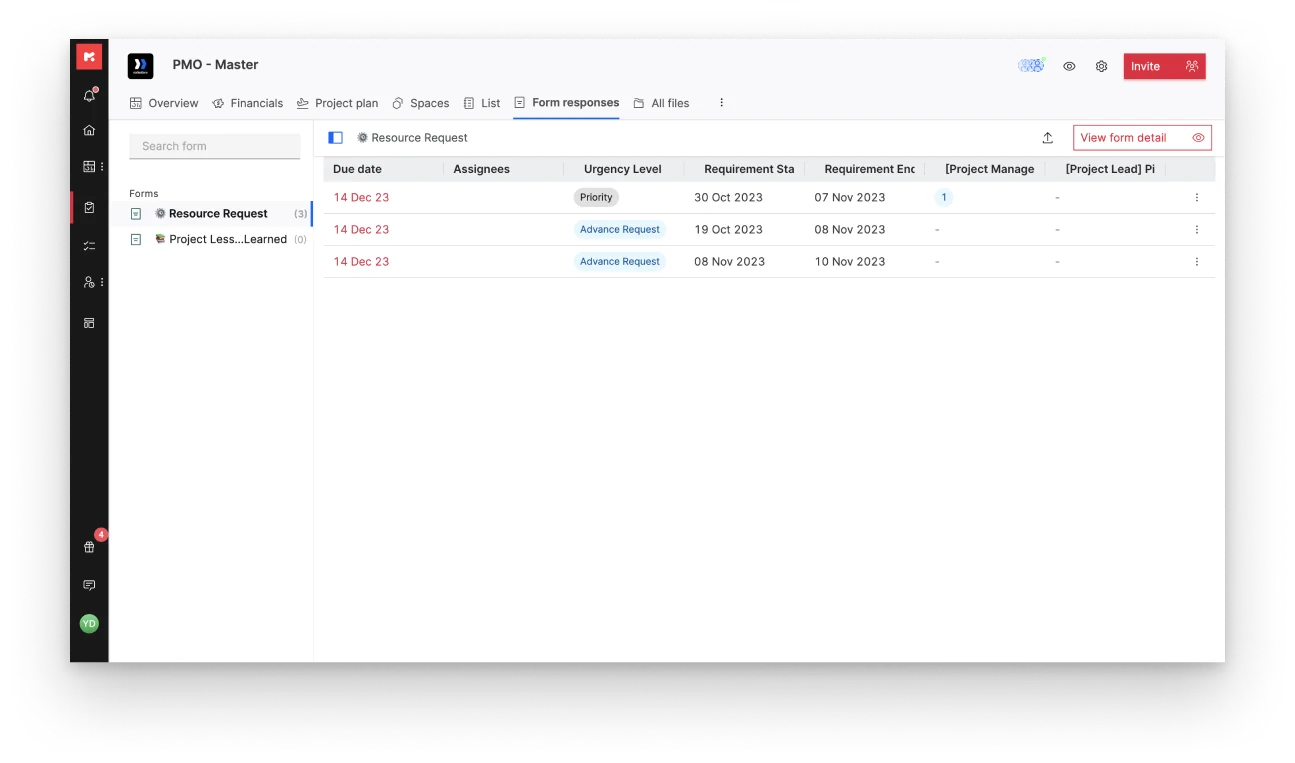
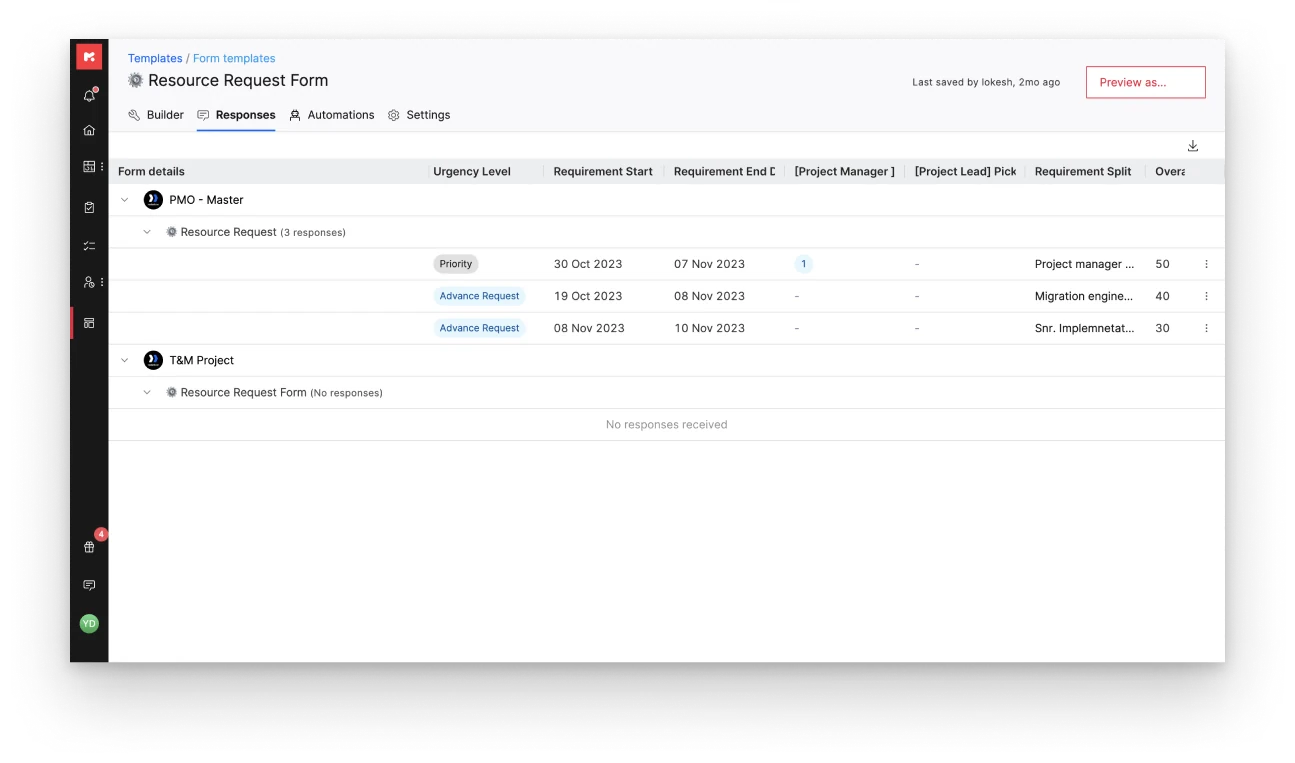
Because forms are templates, a master form can be used across projects while capturing responses specific to each. Project owners and members with access can review responses on their project. People who need the wider view can analyse responses at the template level, across every project where the form was used.
Impact
With Rocketlane Forms, vendor teams receive feedback faster and more smoothly. Responses are organised, so the data is easier to make sense of, and teams have reduced the cost of using multiple tools.